This is a K8s Operator that can be used to deploy and manage Feast, an open source feature store for machine learning.
FeatureStore CR API Reference
Getting Started
Prerequisites
- go version v1.22
- docker version 17.03+.
- kubectl version v1.11.3+.
- Access to a Kubernetes v1.11.3+ cluster.
To deploy an Operator release on a cluster
Users can deploy the operator using Server-Side Apply to avoid CRD annotation size limits:
## Install the latest release -
kubectl apply --server-side --force-conflicts -f https://raw.githubusercontent.com/feast-dev/feast/refs/heads/stable/infra/feast-operator/dist/install.yaml

## OR, install a specific version -
# kubectl apply --server-side --force-conflicts -f https://raw.githubusercontent.com/feast-dev/feast/refs/tags/<version>/infra/feast-operator/dist/install.yaml
NOTE: Server-Side Apply (
--server-side) is required because the CRD includes both v1alpha1 and v1 API versions, making it too large for the standardkubectl applyannotation limit. If you encounter annotation size errors, use--server-side --force-conflictsflags.
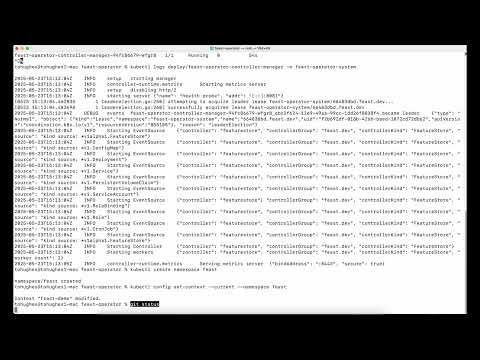
Feast Operator Demo Videos
To deploy local changes on a cluster
Install the CRDs into the cluster:
Deploy the Manager to the cluster:
NOTE: If you encounter RBAC errors, you may need to grant yourself cluster-admin privileges or be logged in as admin.
Create instances of your solution You can apply the samples (examples) from the config/sample:
kubectl apply -k config/samples/
NOTE: Ensure that the samples has default values to test it out.
To Uninstall
Delete the instances (CRs) from the cluster:
kubectl delete -k config/samples/
Delete the APIs(CRDs) from the cluster:
UnDeploy the controller from the cluster:
Project Distribution
Following are the steps to build the installer and distribute this project to users.
Build the installer for the image built and published in the registry:
NOTE: The makefile target mentioned above generates an 'install.yaml' file in the dist directory. This file contains all the resources built with Kustomize, which are necessary to install this project without its dependencies.
Contributing
Additional Feast contrib information can be found on the project's README.
Before submitting a PR, the following command should run to a successful completion:
Build and push your image to the location specified by IMG:
make docker-build docker-push IMG=<some-registry>/feast-operator:<some-tag>
NOTE: This image ought to be published in the personal registry you specified. And it is required to have access to pull the image from the working environment. Make sure you have the proper permission to the registry if the above commands don’t work.
Install the CRDs into the cluster:
Deploy the Manager to the cluster with the image specified by IMG:
make deploy IMG=<some-registry>/feast-operator:<some-tag>
Prerequisites
- go version v1.22
- operator-sdk version v1.38.0
NOTE: Run make help for more information on all potential make targets
More information can be found via the Kubebuilder Documentation
License
Copyright 2024 Feast Community.
Licensed under the Apache License, Version 2.0 (the "License"); you may not use this file except in compliance with the License. You may obtain a copy of the License at
http://www.apache.org/licenses/LICENSE-2.0
Unless required by applicable law or agreed to in writing, software distributed under the License is distributed on an "AS IS" BASIS, WITHOUT WARRANTIES OR CONDITIONS OF ANY KIND, either express or implied. See the License for the specific language governing permissions and limitations under the License.
Running End-to-End integration tests on local(dev) environment
You need a kind cluster to run the e2e tests on local(dev) environment.
# Default kind cluster configuration is not enough to run all the pods. In my case i was using docker with colima. kind uses the cpi and memory assigned to docker.
# below memory configuration worked well but if you are using other docker runtime then please increase the cpu and memory.
colima start --cpu 10 --memory 15 --disk 100

# create the kind cluster
kind create cluster

# set kubernetes context to the recently created kind cluster
kubectl cluster-info --context kind-kind

# run the command from operator directory to run e2e tests.
make test-e2e

# delete cluster once you are done.
kind delete cluster