Speak with Confidence - Speak with Script.ly
Summary
Script.ly is a script analysis tool for public speakers to analyze their uploaded or recorded speech or script for the emotions they can convey. Users can also practice with their uploaded scripts by choosing a role and having a text to speech option.
Tech Stack
Script.ly is built on Next.js, React, and JavaScript. Script.ly also uses CSS Modules, Material UI, Three.js, and Recharts for most of the styling. Additionally, Script.ly uses Axios to make calls to IBM Watson API for Natural Language Processing to analyze the emotional context of the text that a user uploads or records. Three.js and Blender are used to generate the 3D model of the landing page of the application.





Features
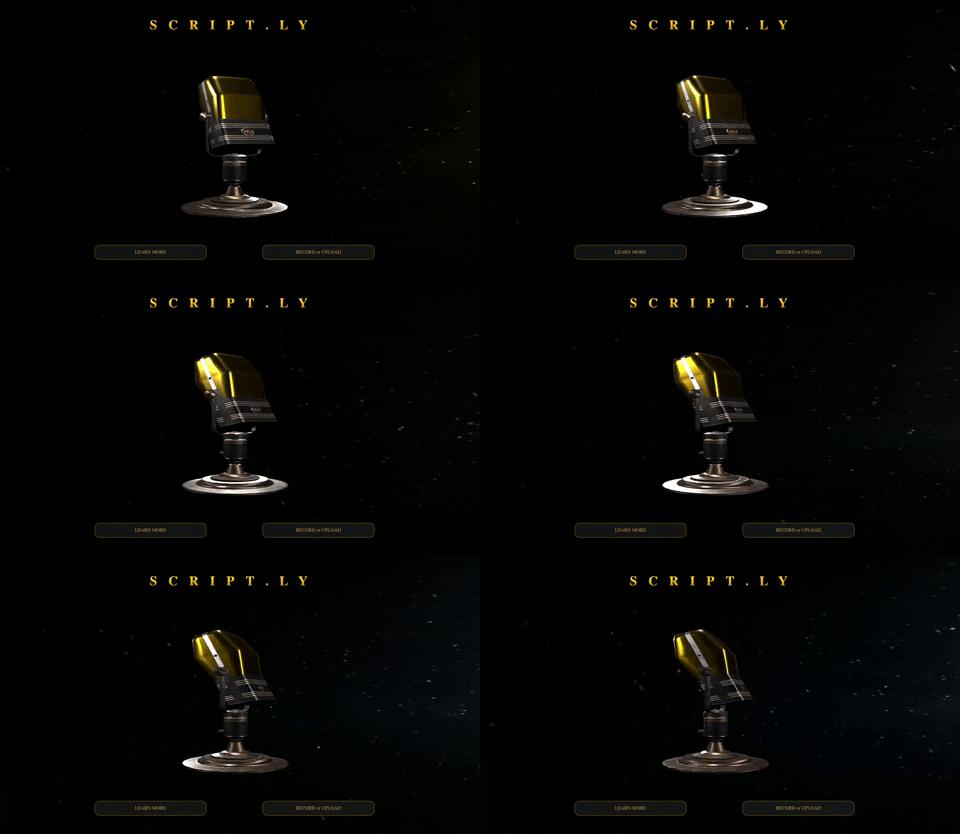
Landing Page
Upload
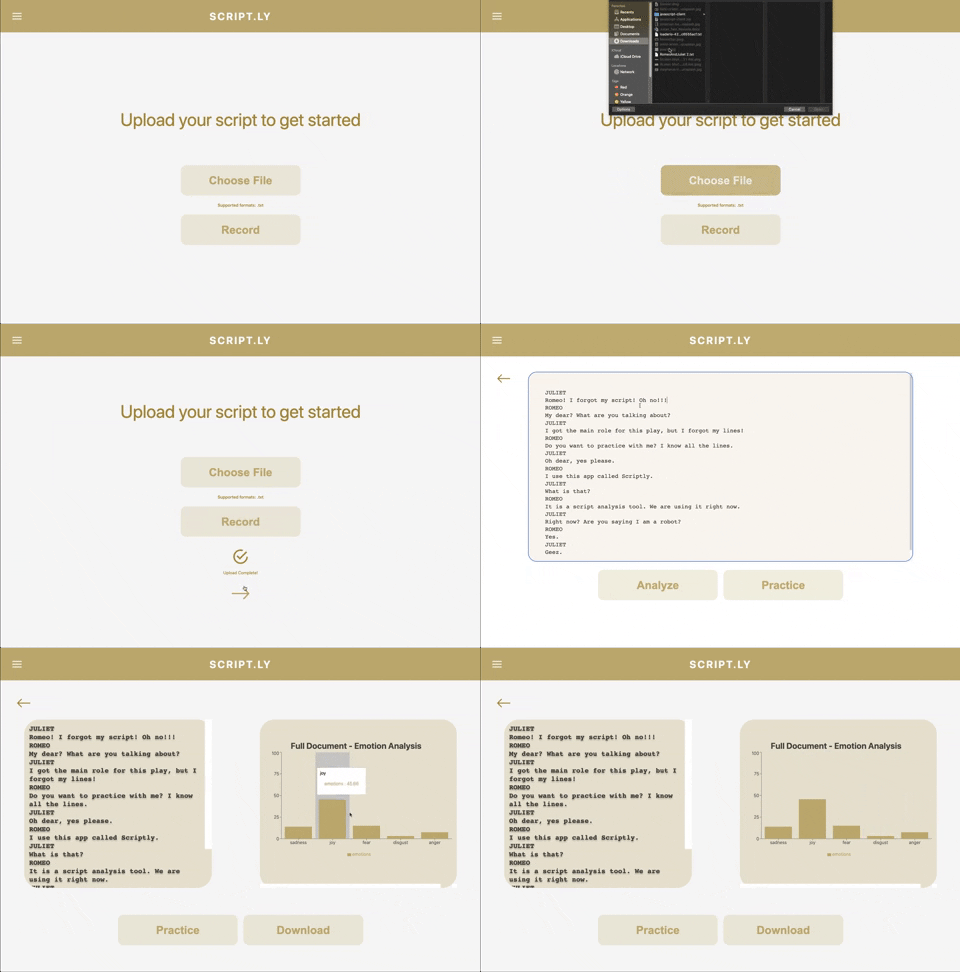
One of the main features of Script.ly is the ability for users to upload a text file of their script or speech. After uploading, the user has the ability to make any edits before clicking the Analyze button, which will send a request to IBM Watson API for NLP to analyze the emotional context of the text categorized into sadness, joy, fear, disgust, and anger, or the Practice button, which will allow users to practice playing a role in the script with text-to-speech.
Record
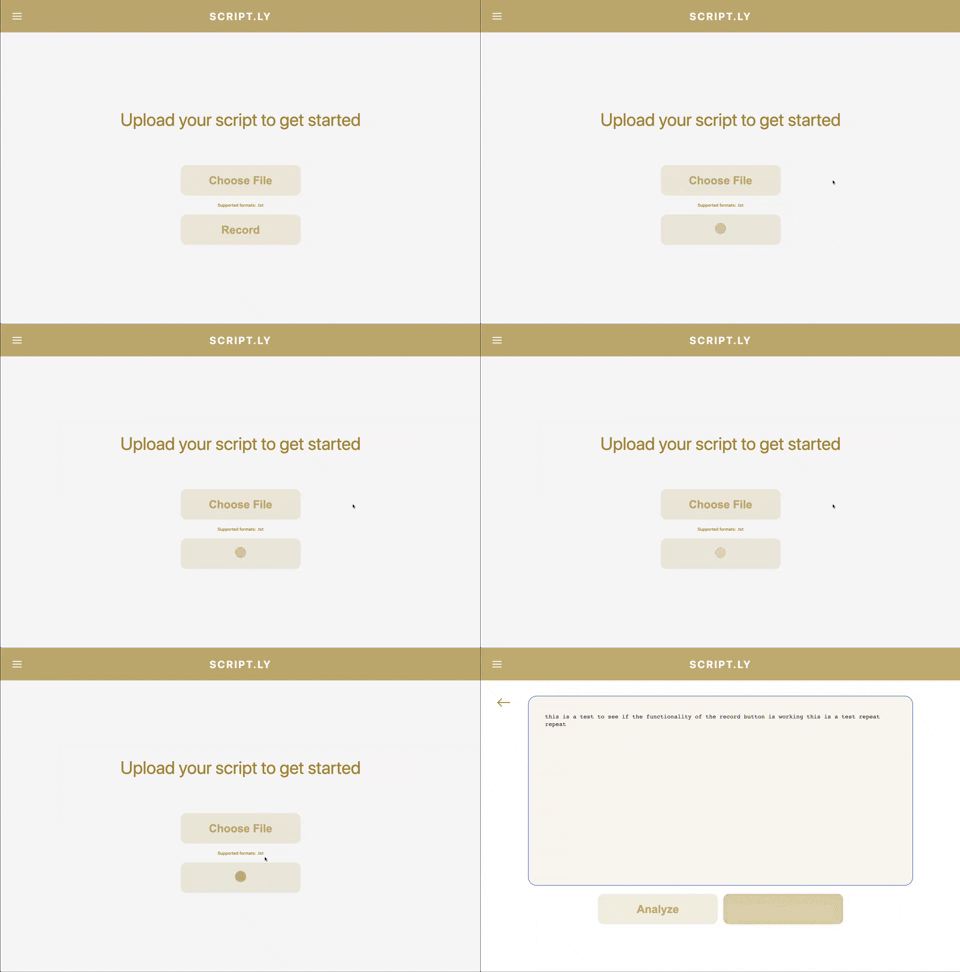
Another main feature of Script.ly is to allow users to record their speech by speaking into the microphone of their device with the Speech Recognition API. After recording their speech, the user can go through the same process of editing and analyzing.
Practice
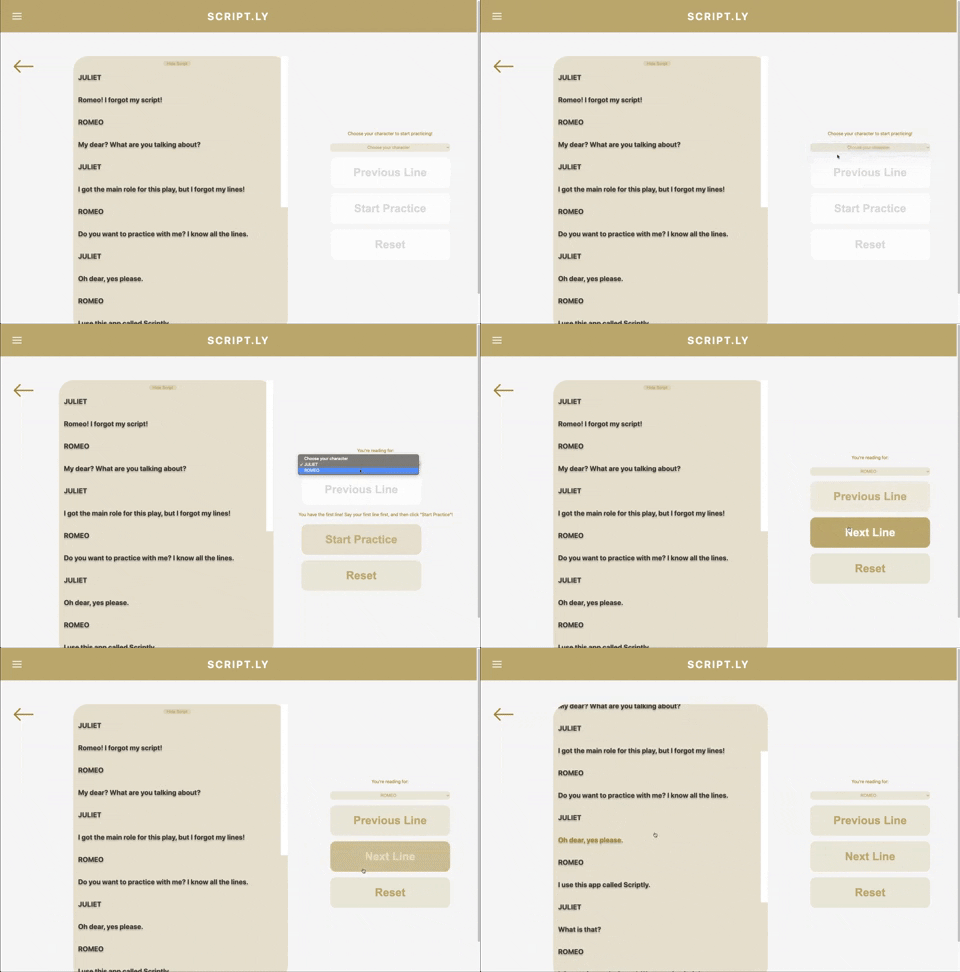
The user also has the ability to practice their uploaded script. Script.ly parses the text and allows users to select a role that they would want to play. Script.ly will then use text-to-speech generated with the Speech Synthesis API to read the lines either by clicking the Next Line Button or the line itself in the script.
Technical Challenges
I thoroughly enjoyed working on this project and tackling problems with my fellow software engineers. Personally, I was responsible with implementing speech recognition functionality for Script.ly. One of the main challenges that I faced was utilizing client size rendering within Next.js, which uses server side rendering. On initial render of the home page, I discovered that Next.js does not have access to client side objects such as window, which the Speech Recognition Web API needs to function. In order to get around this, I used the React hooks useRef and useEffect. With useEffect, I was able to initialize the speech recognition constructor and assigning it to the current property of the useRef object.
export default function RecordButton() {
  const recognition = useRef(null);
  const [record, setRecord] = useState(false);

  useEffect(() => {
    const SpeechRecognition = window.SpeechRecognition || webkitSpeechRecognition;
    recognition.current = new SpeechRecognition();
    recognition.current.continuous = true;
    recognition.current.lang = 'en-US';
  }, [])
}
Future Implementations
Some future implementations that we would like to incorporate include allowing users to login and access their previously uploaded scripts and analysis associated with it. In order to do so, we plan to use technologies such as Firebase and Firestore for authentication and database storage, respectively. In addition, we would also like to implement a social media aspect to Script.ly, such as allowing users to share their scripts and emotional analysis with others.