| home | true | |||||||||||||||
|---|---|---|---|---|---|---|---|---|---|---|---|---|---|---|---|---|
| heroImage | ||||||||||||||||
| heroText | Nushell | |||||||||||||||
| tagline | A new type of shell | |||||||||||||||
| actionText | Get Started → | |||||||||||||||
| actionLink | /book/ | |||||||||||||||
| features |
|
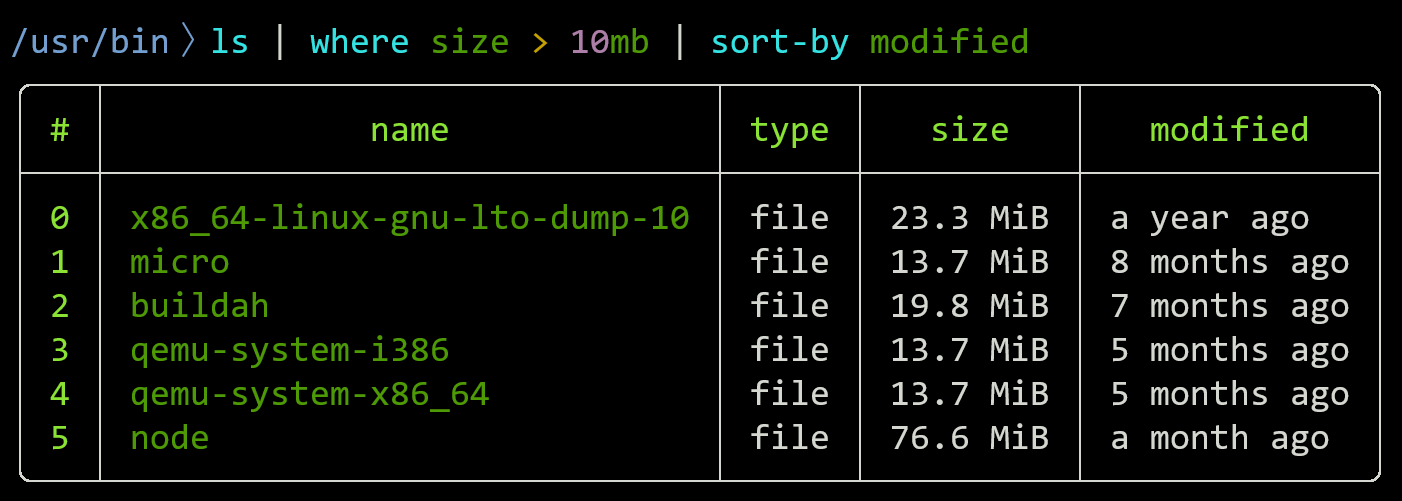
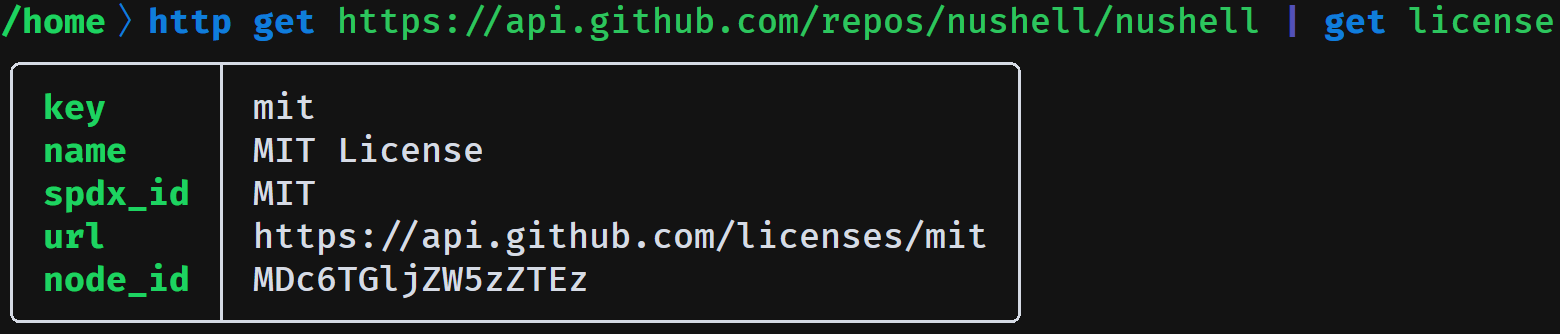
Nu works with existing data
Nu speaks JSON, YAML, SQLite, Excel, and more out of the box. It's easy to bring data into a Nu pipeline whether it's in a file, a database, or a web API:
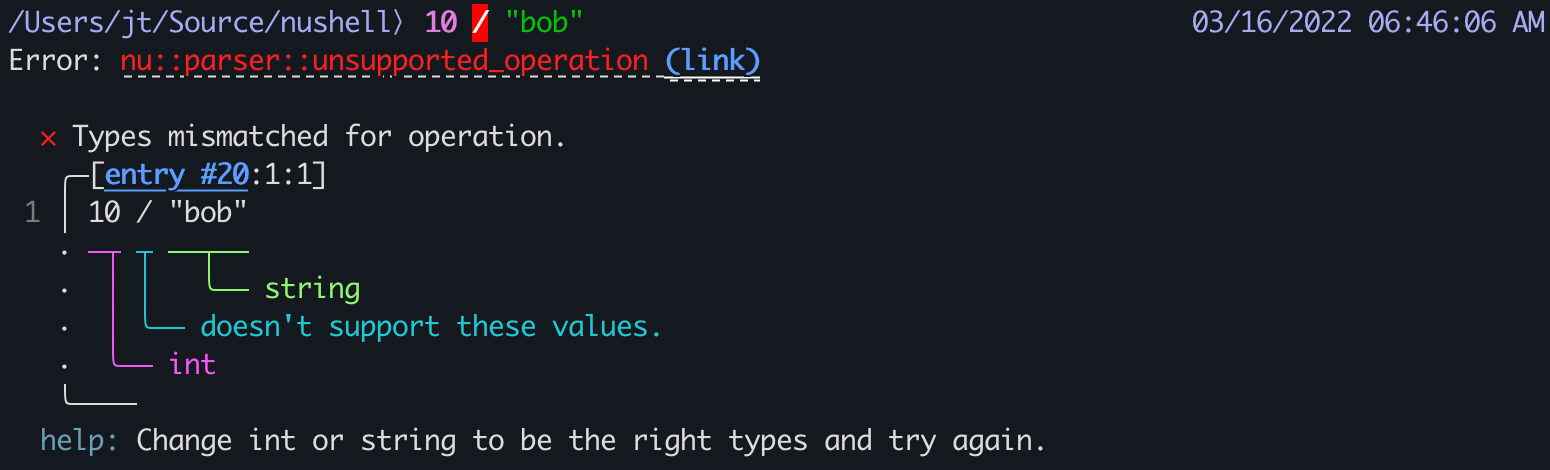
Nu has great error messages
Nu operates on typed data, so it catches bugs that other shells don't. And when things break, Nu tells you exactly where and why:
Get Nu
Nushell is available as downloadable binaries, via your favourite package manager, in a GitHub Action, and as source code. Read the detailed installation instructions or dive right in:
macOS / Linux:
Homebrew
Nix profile
$ nix profile install nixpkgs#nushell
Windows:
# Install to user scope (by default).
winget install nushell
# Machine scope installation (Run as admin).
winget install nushell --scope machine
After installing, launch Nu by typing nu.
Documentation
- Getting Started guides you through getting familiar with Nushell
- Coming to Nu describes similarities and differences to other languages and shells
- Nu Fundamentals is a more elaborate and structured description of the fundamentals
- Programming in Nu describes Nu as a programming language
- Nu as a Shell gives you insight into interactive functionality and configurability in a shell environment
Community
Join us on Discord if you have any questions about Nu!
You can help improve this site by giving us feedback or sending a PR.