

Assignment Dashboard is a Flask web application that displays Jupyter notebook files within a GitHub "assignment" repository, and their status within each forked "student" repository.
The app displays whether files are present in the student repository; if so, whether they have been changed, and whether they are valid Jupyter notebook files. Student repositories and files are linked to GitHub.

Clicking on an assignment title displays a collated notebook, with all student answers collected beneath each prompt.

The app also displays additional information about each assignment.
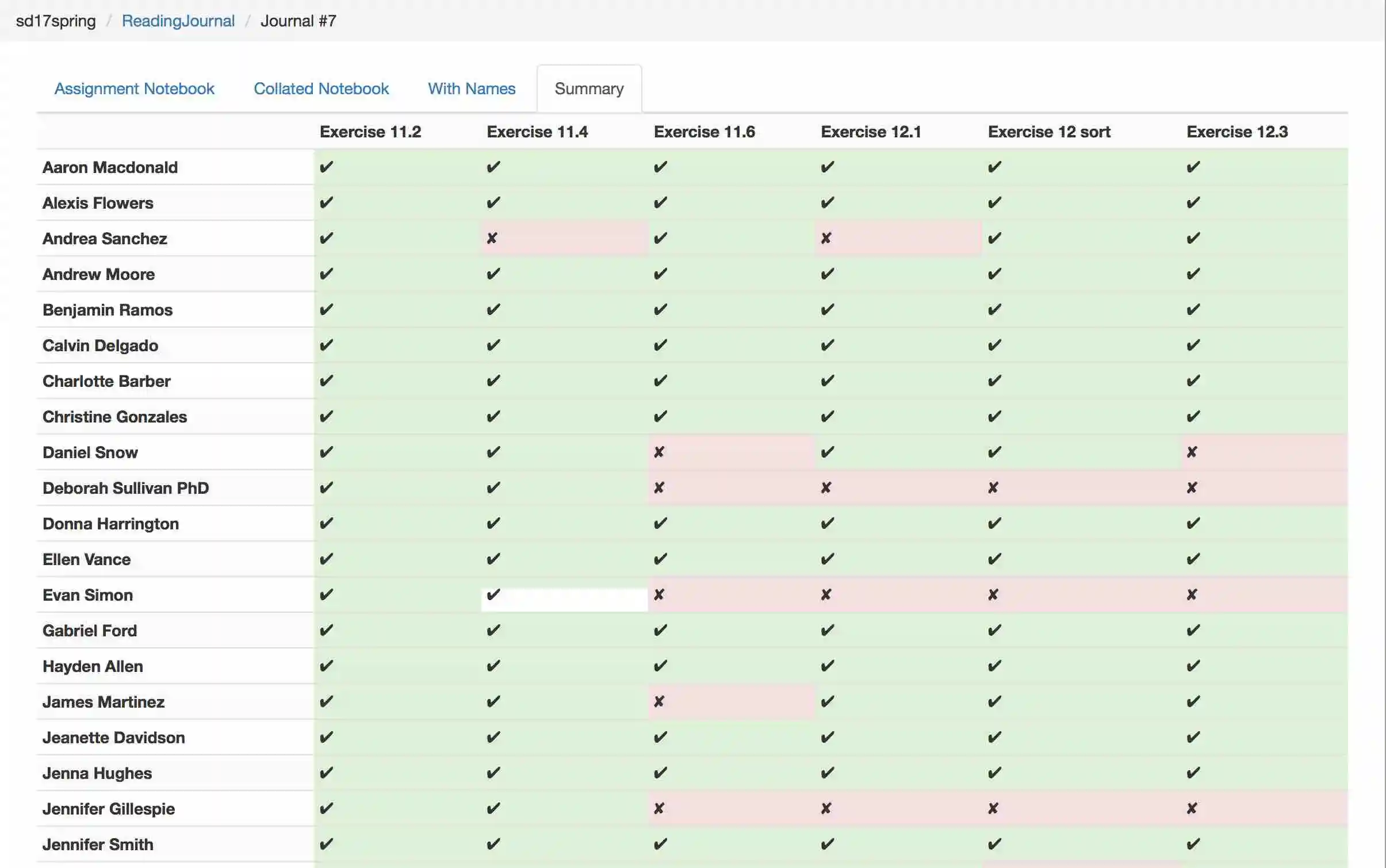
Status
The application does not use authentication, so it should not be run on the open web or in a shared location. (Technically it does not expose any information that is not openly available from the GitHub web interface and API, but it makes this information easier to find.)
Setup
These instructions use Docker. See here for alternate instructions that don't use Docker.

... generated by Railroad Diagram Generator
Do these once:
1. Install docker-compose
For example: pip install docker-compose; or one of the installers here.
2. Create a GitHub personal API token
Create a GitHub personal API token.
Set the GITHUB_API_TOKEN environment variable to this value.
3. Initialize the database
docker-compose run web initdb
This creates a database in data/database.db.
It will take a while to run, as Docker creates the application image.
If you subsequently need to run it again in order to reset the database, it will use this existing image.
4. Add an assignment repository
$ docker-compose run web add_repo repo_owner/repo_name
Add a repository to the database, and download its information from GitHub.
Usage
These instructions use Docker. See here for alternate instructions that don't use Docker.
The admin tasks update the project database from GitHub. The web application browses the data in this database.

... generated by Railroad Diagram Generator
Admin Tasks
Update the database
$ docker-compose run web updatedb
Update the application database with new users and commits from GitHub.
Set User Names
$ docker-compose run web set_usernames usernames.csv
Update user names in the database from the rows in usernames.csv.
usernames.csv should be a CSV file with a column named "name" or "username",
and a column that contains the string "git" (or mixed-case versions of these
strings).
Subsequent execution of updatedb will replace usernames in the database
by the user's GitHub name if the GitHub name is not empty.
Run the Web Application
Then browse to http://localhost:5000.
File bugs and enhancement requests here.
Contributing
See CONTRIBUTING.md for contribution guidelines.
Acknowledgments
The notebook collation code is derived from original work (paulruvolo/SoftDesSp16Prep) by Paul Ruvolo at Olin College, further modified at osteele/assignment-tools.