Shortcut Map
本程序能够帮助你显示当前使用程序的快捷键。
This util helps display Shortcuts Keys of Current Running Application
推荐使用 1920x1080 及以上分辨率。
使用方法 Usage
运行 Pluvet.ShortcutMap.exe,你将看到托盘有一个地图图标。
Run Pluvet.ShortcutMap.exe, you'll see a map icon on windows tray bar.
在程序中按下 Win N 组合键,如果该程序拥有快捷键配置,则会显示出来。
Press Win N together, if current app has its keymap definition config, key map will display.
预览 Preview
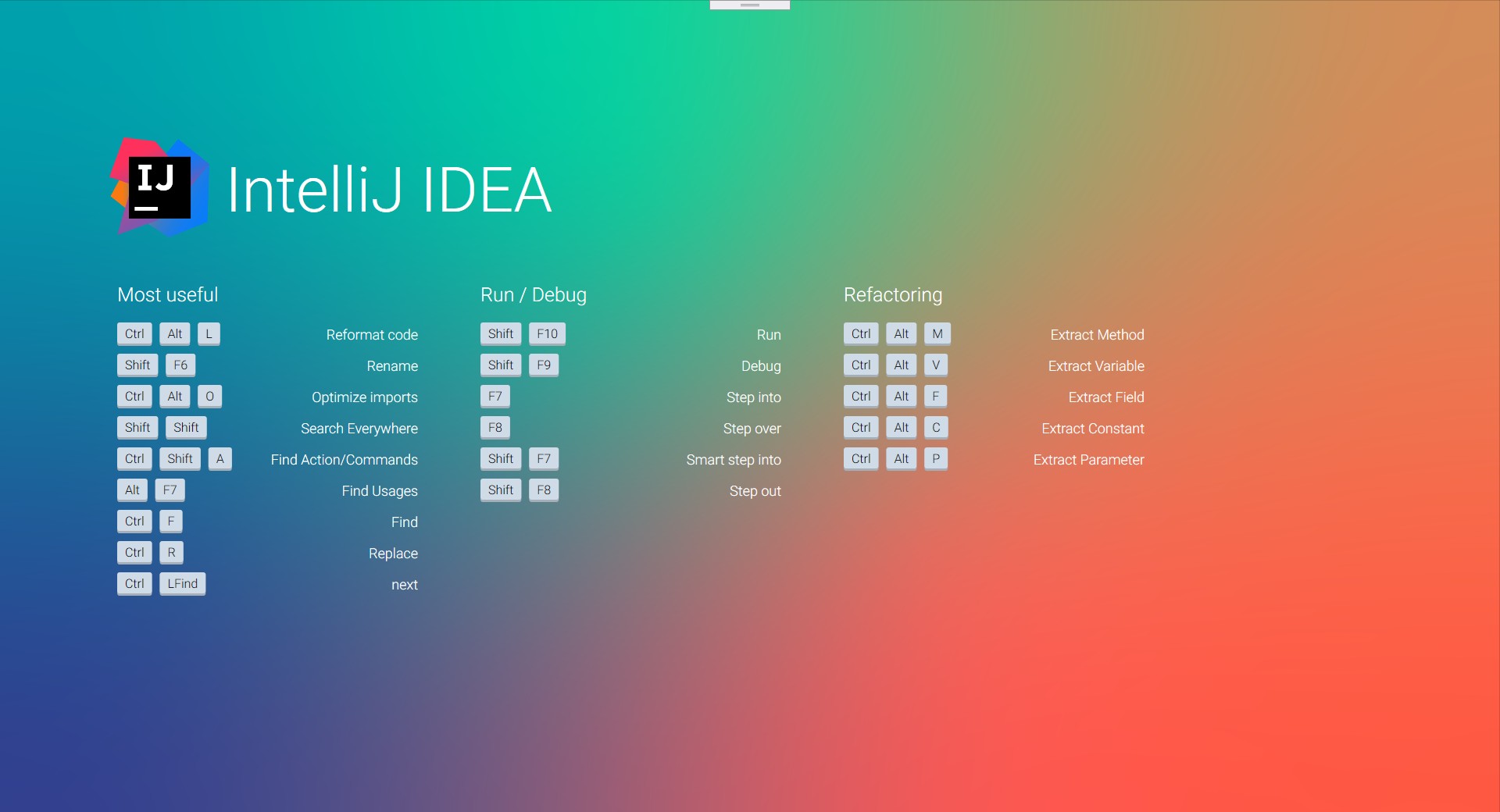
创建快捷键配置 Create your own key map config
下面以创建 Blender 的快捷键为例。
首先,你在程序的 shortcuts 目录下,创建文件 blender.json,在 shortcuts\images\目录下放置 png 格式的图标文件,文件名为 icon-blender.png,大小为高度 128 像素及以上。
编辑 blender.json,基本格式如下:
Here's an example of creating a shortcut key config file for 'blender'.
First, you create a file in the program's shortcuts directory with name blender.json, place the logo file in PNG format in the directory shortcuts/images, and the file name is icon-blender.png (The size is 128 pixels and above in height).
Editorblender.jsonThe basic format is as follows:
{
  "app": "程序名",
  "moduleName": "应用程序的模块名,正则表达式",
  "author": "本文件编写者",
  "version": "本文件版本",
  "description": "本文件描述",
  "groups": [
    {
      "name": "组名",
      "shortcuts": [
        {
          "keys": ["按键"],
          "action": "作用"
        }
      ]
    }
  ]
}
对于 Blender 的示例如下:
{
  "app": "Blender",
  "moduleName": "^blender\\.exe$",
  "author": "pluveto",
  "version": "1.0",
  "description": "Shortcuts for Blender",
  "groups": [
    {
      "name": "Window",
      "shortcuts": [
        { "keys": ["Ctrl", "Left"], "action": "Arrow Go to Previous Screen" },
        { "keys": ["Ctrl", "Right"], "action": "Arrow Go to Next Screen" },
        { "keys": ["Ctrl", "Up"], "action": "Arrow Maximize Window" },
        {
          "keys": ["Ctrl", "Down"],
          "action": "Arrow Retrun to Previous Window Size"
        },
        { "keys": ["Shift", "F4"], "action": "Data View" },
        { "keys": ["Shift", "F5"], "action": "3D Window" },
        { "keys": ["Shift", "F6"], "action": "IPO Window" },
        { "keys": ["Shift", "F7"], "action": "Buttons Window" },
        { "keys": ["Shift", "F8"], "action": "Sequence Window" },
        { "keys": ["Shift", "F9"], "action": "Outliner Window" },
        { "keys": ["Shift", "F10"], "action": "Image Window" },
        { "keys": ["Shift", "F11"], "action": "Text Window" },
        { "keys": ["Shift", "F12"], "action": "Action Window" }
      ]
    }
  ]
}
现在,重启程序,进入 Blender 并按下 Win N,即可看到快捷键列表。
Now, restart the program, enter blender and press win n to see the list of shortcut keys.
自定义背景的方法 Custom Background Image
替换 bg.png 文件。
分享快捷键配置 Share your configs
前往 Issues 区。