| Azure Pipelines | GitHub Actions | Documentation | PS Gallery | License |
|---|---|---|---|---|
 |
 |
 |
Supporting PoshBot
PoshBot is a MIT-licensed open source project. Ongoing development is made possible thanks to the support of sponsors. If you'd like to become a sponsor, you can do so through GitHub Sponsors or Patreon.
Silver Sponsors

Want some in-depth guides? Check out ChatOps the Easy Way on Leanpub!

Introduction
PoshBot is a chat bot written in PowerShell. It makes extensive use of classes introduced in PowerShell 5.0. PowerShell modules are loaded into PoshBot and instantly become available as bot commands. PoshBot currently supports connecting to Slack to provide you with awesome ChatOps goodness.
What Can PoshBot Do?
Pretty much anything you want :) No seriously. PoshBot executes functions or cmdlets from PowerShell modules. Use PoshBot to connect to servers and report status, deploy code, execute runbooks, query APIs, etc. If you can write it in PowerShell, PoshBot can execute it.
Documentation
Detailed documentation can be found at ReadTheDocs.
Building PoshBot
See Building PoshBot for documentation on how to build PoshBot from source.
Changelog
Detailed changes for each release are documented in the release notes.
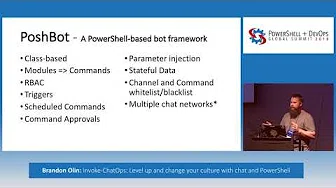
[YouTube] PowerShell Summit 2018 - Invoke-ChatOps: Level up and change your culture with chat and PowerShell
Quickstart
To get started now, get a SLACK-API-TOKEN for your bot:
https://my.slack.com/services/new/bot
# Install the module from PSGallery
Install-Module -Name PoshBot -Repository PSGallery

# Import the module
Import-Module -Name PoshBot

# Create a bot configuration
$botParams = @{
    Name = 'name'
    BotAdmins = @('<SLACK-CHAT-HANDLE>')
    CommandPrefix = '!'
    LogLevel = 'Info'
    BackendConfiguration = @{
        Name = 'SlackBackend'
        Token = '<SLACK-API-TOKEN>'
    }
    AlternateCommandPrefixes = 'bender', 'hal'
}

$myBotConfig = New-PoshBotConfiguration @botParams

# Start a new instance of PoshBot interactively or in a job.
Start-PoshBot -Configuration $myBotConfig #-AsJob
Basic usage:
# Create a Slack backend
$backendConfig = @{Name = 'SlackBackend'; Token = '<SLACK-API-TOKEN>'}
$backend = New-PoshBotSlackBackend -Configuration $backendConfig

# Create a PoshBot configuration
$pbc = New-PoshBotConfiguration -BotAdmins @('<MY-SLACK-HANDLE>') -BackendConfiguration $backendConfig

# Save configuration
Save-PoshBotConfiguration -InputObject $pbc -Path .\PoshBotConfig.psd1

# Load configuration
$pbc = Get-PoshBotConfiguration -Path .\PoshBotConfig.psd1

# Create an instance of the bot
$bot = New-PoshBotInstance -Configuration $pbc -Backend $backend

# Start the bot
$bot.Start()

# Available commands
Get-Command -Module PoshBot

CommandType     Name                                               Version    Source
-----------     ----                                               -------    ------
Function        Get-PoshBot                                        0.12.0     poshbot
Function        Get-PoshBotConfiguration                           0.12.0     poshbot
Function        Get-PoshBotStatefulData                            0.12.0     poshbot
Function        New-PoshBotCardResponse                            0.12.0     poshbot
Function        New-PoshBotConfiguration                           0.12.0     poshbot
Function        New-PoshBotDiscordBackend                          0.12.0     poshbot
Function        New-PoshBotFileUpload                              0.12.0     poshbot
Function        New-PoshBotInstance                                0.12.0     poshbot
Function        New-PoshBotMiddlewareHook                          0.12.0     poshbot
Function        New-PoshBotScheduledTask                           0.12.0     poshbot
Function        New-PoshBotSlackBackend                            0.12.0     poshbot
Function        New-PoshBotTeamsBackend                            0.12.0     poshbot
Function        New-PoshBotTextResponse                            0.12.0     poshbot
Function        Remove-PoshBotStatefulData                         0.12.0     poshbot
Function        Save-PoshBotConfiguration                          0.12.0     poshbot
Function        Set-PoshBotStatefulData                            0.12.0     poshbot
Function        Start-PoshBot                                      0.12.0     poshbot
Function        Stop-Poshbot                                       0.12.0     poshbot