A lightweight, self hosted platform for building and deploying webhooks, APIs and scheduled tasks using simple scripts.




⭐ If you find RapidForge useful, consider giving it a star — it helps others discover the project and keeps us motivated!
Overview
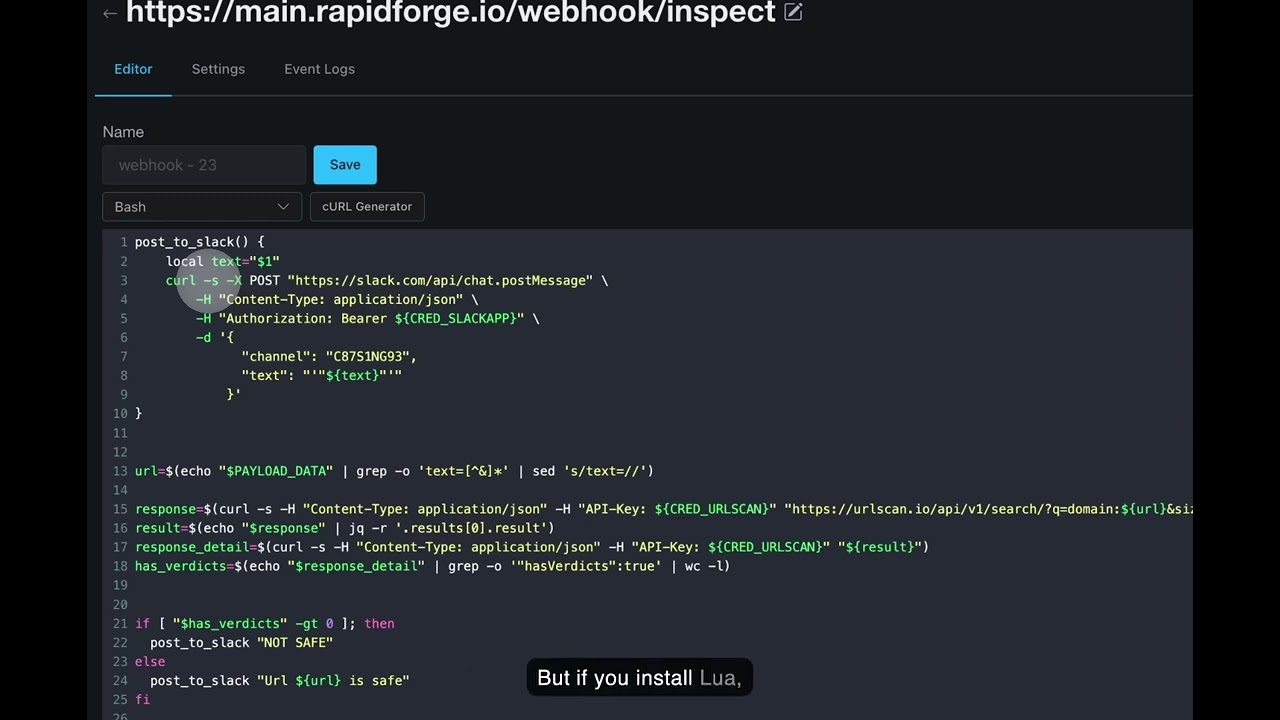
RapidForge is a modern, self-hosted platform that lets you quickly create webhooks, APIs, periodic tasks, and dynamic pages using Bash or Lua scripts. Built with simplicity and performance in mind, RapidForge provides a clean web interface for managing your automation workflows without the complexity of traditional API frameworks.
✨ Key Features
- 🚀 Simple Webhook Creation - Create HTTP endpoints instantly with custom paths and methods
- ⏰ Scheduled Tasks - Run scripts periodically with cron like scheduling
- 📄 Dynamic Pages - Build interactive web pages with drag and drop editor and embedded scripts
- 🔐 Built-in Authentication - OAuth2 integration and bearer token support
- 💾 SQLite Powered - Lightweight, serverless database with zero configuration
- Single Binary - Self-contained executable with no dependencies for easy deployment
- 🔧 Script Languages - Write in Bash or Lua with built in HTTP and JSON libraries
- 📊 Event Logging - Track all webhook executions and responses
- 🔄 Self Updater - Built-in update mechanism for easy maintenance
🚀 Quick Start
Prerequisites
- (Recommended) mise for managing Go and Node.js versions
Installation
Download Pre-built Binary:
Visit the releases page to download the latest binary for your platform.
Or Build from Source:
git clone https://github.com/rapidforge-io/rapidforge.git
cd rapidforge

mise install

make build
Note: For development and building, check the makefile for available commands including
make build,make build-fe,make dev, and more.
🔧 Development
Managing Tool Versions
This project uses mise to manage Go and Node.js versions. All version specifications are centralized in .mise.toml.
To update versions:
- Edit .mise.toml with the desired Go and Node versions
- Run
make sync-versionsto propagate changes to all files (Dockerfile, CI workflows, README, etc.) - Run
mise installto install the new versions locally
This ensures version consistency across your development environment, CI/CD pipelines, and Docker builds.
Running RapidForge
When RapidForge starts for the first time, it will create admin user and password which will be printed to stdout for the first time only. Please login with those credentials and change your password later on.
📖 Documentation
For detailed configuration, deployment guides, and API documentation, visit:
🌙 About the Lua Binary
RapidForge ships with a bundled Lua binary sourced from the superconfigure project, which builds portable executables using the Cosmopolitan libc. This means the binary runs on Linux, macOS, and Windows without any native dependencies — no installation required.
If you prefer not to use the bundled binary (e.g. for security, licensing, or platform-specific reasons), simply install Lua on your host machine. RapidForge will automatically detect and prioritise a system-installed lua executable over the bundled one.
🛠️ Technology Stack
- Backend: Go with Gin framework
- Database: SQLite with migrations support
- Frontend: HTMX for interactivity, Shoelace web components.
- Editor: CodeMirror for code editing
- Visual Editor: React-based drag-and-drop page builder
🔧 Configuration
RapidForge can be configured through environment variables:
See rapidforge.io/docs for configuration options.
🤝 Contributing
We welcome contributions! Please see CONTRIBUTING.md for guidelines on how to submit pull requests, report issues, and contribute to the project.
Release Process
Our release process ensures stability by testing RapidForge with RapidForge.
- Code Merger: Pull Requests are reviewed and merged into the
mainbranch. - Staging Deployment: The main branch is deployed to our internal test server by maintainer.
- Dogfooding & Testing: We use this internal rapidforge instance to run integration tests and perform manual testing. We verify changes by using RapidForge to test RapidForge.
- Release: Once changes are verified and stable, we create a new release.
📜 License
RapidForge is licensed under the Apache License 2.0.
Copyright 2023-2026 RapidForge

Licensed under the Apache License, Version 2.0 (the "License");
you may not use this file except in compliance with the License.
You may obtain a copy of the License at

    http://www.apache.org/licenses/LICENSE-2.0
🔒 Security
Please report security vulnerabilities to the maintainer directly. See SECURITY.md for details.
💬 Community & Support
- Documentation: https://rapidforge.io/docs
- Issues: GitHub Issues
- Discussions: GitHub Discussions
Made with ❤️