Manipulation and analysis of geometric objects in the Cartesian plane.

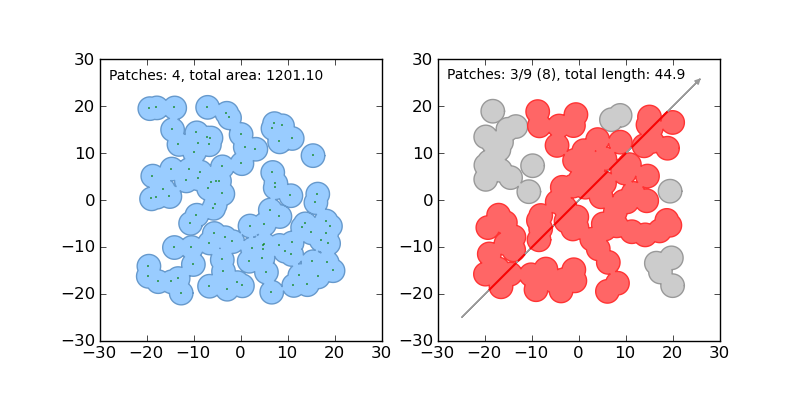
Shapely is a BSD-licensed Python package for manipulation and analysis of planar geometric objects. It is based on the widely deployed GEOS (the engine of PostGIS) and JTS (from which GEOS is ported) libraries. Shapely is not concerned with data formats or coordinate systems, but can be readily integrated with packages that are. For more details, see:
Requirements
Shapely 1.4 requires
- Python >=2.6 (including Python 3.x)
- libgeos_c >=3.3 (Shapely 1.2 requires only libgeos_c 3.1 but YMMV)
Installation
Windows users should use the executable installer, which contains the required GEOS DLL. Other users should acquire libgeos_c by any means, make sure that it is on the system library path, and install from the Python package index.
Shapely is also provided by popular Python distributions like Canopy (Enthought) and Anaconda (Continuum Analytics).
Usage
Here is the canonical example of building an approximately circular patch by buffering a point.
>>> from shapely.geometry import Point
>>> patch = Point(0.0, 0.0).buffer(10.0)
>>> patch
<shapely.geometry.polygon.Polygon object at 0x...>
>>> patch.area
313.65484905459385
See the manual for comprehensive usage snippets and the dissolve.py and intersect.py examples.
Integration
Shapely does not read or write data files, but it can serialize and deserialize using several well known formats and protocols. The shapely.wkb and shapely.wkt modules provide dumpers and loaders inspired by Python's pickle module.
>>> from shapely.wkt import dumps, loads
>>> dumps(loads('POINT (0 0)'))
'POINT (0.0000000000000000 0.0000000000000000)'
All linear objects, such as the rings of a polygon (like patch above),
provide the Numpy array interface.
>>> import numpy as np
>>> np.array(patch.exterior)
array([[  1.00000000e+01,   0.00000000e+00],
       [  9.95184727e+00,  -9.80171403e-01],
       [  9.80785280e+00,  -1.95090322e+00],
       ...
       [  1.00000000e+01,   0.00000000e+00]])
That yields a Numpy array of [x, y] arrays. This is not always exactly what one
wants for plotting shapes with Matplotlib (for example), so Shapely adds
a xy property for obtaining separate arrays of coordinate x and y values.
>>> x, y = patch.exterior.xy
>>> np.array(x)
array([  1.00000000e+01,   9.95184727e+00,   9.80785280e+00,  ...])
Numpy arrays of [x, y] arrays can also be adapted to Shapely linestrings.
>>> from shapely.geometry import LineString
>>> LineString(np.array(patch.exterior)).length
62.806623139095073
Numpy arrays of x and y must be transposed.
>>> LineString(np.transpose(np.array(patch.exterior.xy))).length
62.80662313909507
Shapely can also integrate with other Python GIS packages using data modeled after GeoJSON.
>>> import json
>>> from shapely.geometry import mapping, shape
>>> s = shape(json.loads('{"type": "Point", "coordinates": [0.0, 0.0]}'))
>>> s
<shapely.geometry.point.Point object at 0x...>
>>> print(json.dumps(mapping(s)))
{"type": "Point", "coordinates": [0.0, 0.0]}
Development and Testing
Dependencies for developing Shapely are listed in requirements-dev.txt. Cython and Numpy are not required for production installations, only for development. Use of a virtual environment is strongly recommended.
$ virtualenv .
$ source bin/activate
(env)$ pip install -r requirements-dev.txt
(env)$ pip install -e .
We use py.test to run Shapely's suite of unittests and doctests.
Roadmap and Maintenance
Shapely 1.2.x is a maintenance-only branch which supports Python 2.4-2.6, but not Python 3+. There will be no new features in Shapely 1.2.x and only fixes for major bugs.
Shapely 1.4.x is a maintenance-only branch supporting Pythons 2.7 and 3.3+.
Support
Please discuss Shapely with us at http://lists.gispython.org/mailman/listinfo/community.
Bugs may be reported at https://github.com/Toblerity/Shapely/issues.