


PEPhotoCropEditor is image cropping library for iOS, similar to the Photos.app UI.
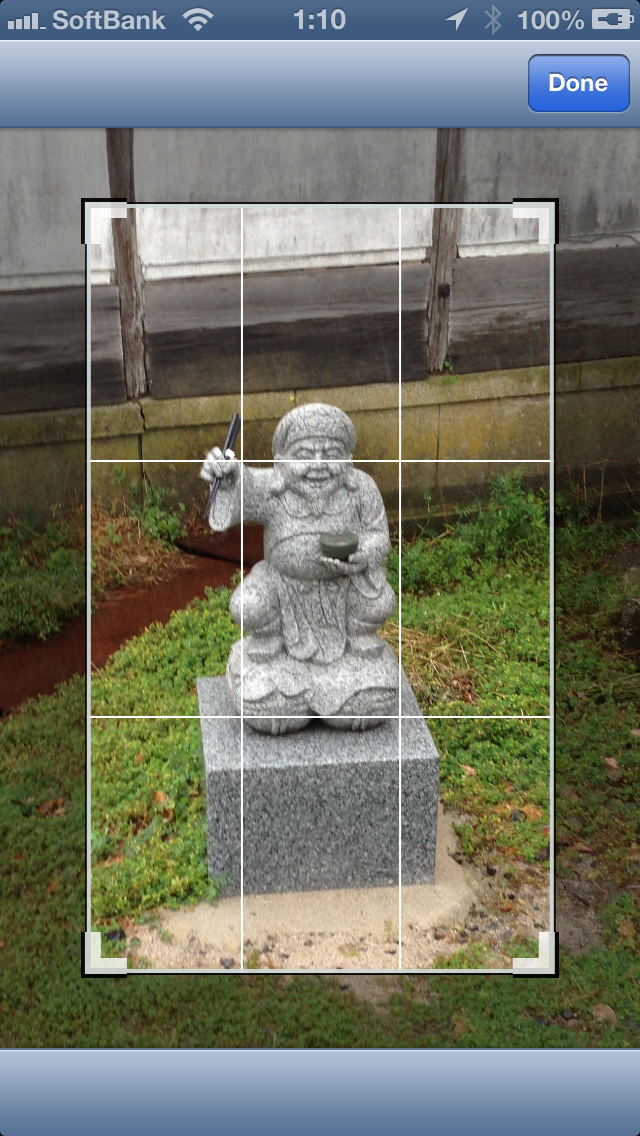

Features
- Both iPhone/iPad available
- Works fine any device orientations
- Support pinch gesture to zoom
- Support rotation gesture
System requirements
- iOS 5.0 or higher
Installation
CocoaPods
pod 'PEPhotoCropEditor'
Usage
Use view controller component
 PECropViewController *controller = [[PECropViewController alloc] init];
 controller.delegate = self;
 controller.image = self.imageView.image;

 UINavigationController *navigationController = [[UINavigationController alloc] initWithRootViewController:controller];
 [self presentViewController:navigationController animated:YES completion:NULL];
Or use the crop view directly
self.cropView = [[PECropView alloc] initWithFrame:contentView.bounds];
[self.view addSubview:self.cropView];
Get the cropped image
delegate method
- (void)cropViewController:(PECropViewController *)controller didFinishCroppingImage:(UIImage *)croppedImage
{
    [controller dismissViewControllerAnimated:YES completion:NULL];
    self.imageView.image = croppedImage;
}
retrieve from view directly
UIImage *croppedImage = self.cropView.croppedImage;
Keep crop aspect ratio while resizing
controller.keepingCropAspectRatio = YES;self.cropView.keepingCropAspectRatio = YES;Specify crop rect by image size based
// e.g.) Cropping center square
CGFloat width = image.size.width;
CGFloat height = image.size.height;
CGFloat length = MIN(width, height);
controller.imageCropRect = CGRectMake((width - length) / 2,
                                      (height - length) / 2,
                                      length,
                                      length);
// e.g.) Cropping center square
CGFloat width = image.size.width;
CGFloat height = image.size.height;
CGFloat length = MIN(width, height);
self.cropView.imageCropRect = CGRectMake((width - length) / 2,
                                         (height - length) / 2,
                                         length,
                                         length);
Reset back crop rect to original image size and rotation
[controller resetCropRect];[self.cropView resetCropRect];
License
PEPhotoCropEditor is available under the MIT license. See the LICENSE file for more info.