dm_control: The DeepMind Control Suite and Package

This package contains:
-
A set of Python Reinforcement Learning environments powered by the MuJoCo physics engine. See the
suitesubdirectory. -
Libraries that provide Python bindings to the MuJoCo physics engine.
If you use this package, please cite our accompanying accompanying tech report.
Installation and requirements
Follow these steps to install dm_control:
-
Download MuJoCo Pro 1.50 from the download page on the MuJoCo website. MuJoCo Pro must be installed before
dm_control, sincedm_control's install script generates Pythonctypesbindings based on MuJoCo's header files. By default,dm_controlassumes that the MuJoCo Zip archive is extracted as~/.mujoco/mjpro150. -
Install the
dm_controlPython package by runningpip install git+git://github.com/deepmind/dm_control.git(PyPI package coming soon) or by cloning the repository and runningpip install /path/to/dm_control/At installation time,dm_controllooks for the MuJoCo headers from Step 1 in~/.mujoco/mjpro150/include, however this path can be configured with theheaders-dircommand line argument. -
Install a license key for MuJoCo, required by
dm_controlat runtime. See the MuJoCo license key page for further details. By default,dm_controllooks for the MuJoCo license key file at~/.mujoco/mjkey.txt. -
If the license key (e.g.
mjkey.txt) or the shared library provided by MuJoCo Pro (e.g.libmujoco150.soorlibmujoco150.dylib) are installed at non-default paths, specify their locations using theMJKEY_PATHandMJLIB_PATHenvironment variables respectively.
Additional instructions for Linux
Install GLFW and GLEW through your Linux distribution's package manager.
For example, on Debian and Ubuntu, this can be done by running
sudo apt-get install libglfw3 libglew2.0.
Additional instructions for Homebrew users on macOS
-
The above instructions using
pipshould work, provided that you use a Python interpreter that is installed by Homebrew (rather than the system-default one). -
To get OpenGL working, install the
glfwpackage from Homebrew by runningbrew install glfw. -
Before running, the
DYLD_LIBRARY_PATHenvironment variable needs to be updated with the path to the GLFW library. This can be done by runningexport DYLD_LIBRARY_PATH=$(brew --prefix)/lib:$DYLD_LIBRARY_PATH.
Control Suite quickstart
from dm_control import suite
import numpy as np

# Load one task:
env = suite.load(domain_name="cartpole", task_name="swingup")

# Iterate over a task set:
for domain_name, task_name in suite.BENCHMARKING:
  env = suite.load(domain_name, task_name)

# Step through an episode and print out reward, discount and observation.
action_spec = env.action_spec()
time_step = env.reset()
while not time_step.last():
  action = np.random.uniform(action_spec.minimum,
                             action_spec.maximum,
                             size=action_spec.shape)
  time_step = env.step(action)
  print(time_step.reward, time_step.discount, time_step.observation)
See our tech report for further details.
Illustration video
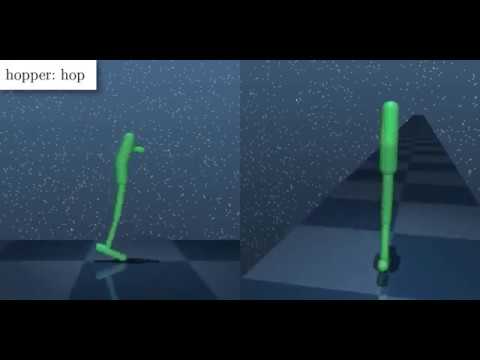
Below is a video montage of solved Control Suite tasks, with reward visualisation enabled.