iOS-Tagent Introduction

iOS-Tagent is a project based on facebook WebDriverAgent . and intend to fit AirtestProject.
To use airtest and airtestIDE on iOS, this project is required
This Project is worked well in xcode 9 + iOS 11, other version of xcode and iOS version is not fully tested
this project is open beta status now
if you have problem with this project please goto `Issues <https://github.com/AirtestProject/iOS-Tagent/issues>`_
Api status
This project intend to work with airtest-ide and Airtest Framework
Common Api in airtest is supported
- start_app: OK
- stop_app: OK
- snapshot: OK
- home: OK
- touch: OK
- swipe: OK
- text: OK
- wait: OK
- exists: OK
- find_all: OK
- assert_exists: OK
- assert_not_exists: OK
except:
- wake: Now supported now (may use 'home' instead)
- keyevent: Only support 'home' event
- clear_app: Not supported now
- install: Not supported now
- uninstall: Not supported now
Fast Hierarchy view
now it can view device Hierarchy really fast

this feature work with Poco and airtest-ide.
Getting Started
prerequisite
1. iOS Provisioning Profile(Certificate) (free or paid)
2. basic experience with xcode
You can simply open WebDriverAgent.xcodeproj and start WebDriverAgentRunner test
and start do what you want with Airtest (with iOS http url)
Start manual
1. run the agent
- set up an signing in WebDriverAgent -> WebDriverAgent-Runner-> General -> signing.
if a free personal certificate used
This will manifest as something like an error that Xcode failed to create provisioning profile:
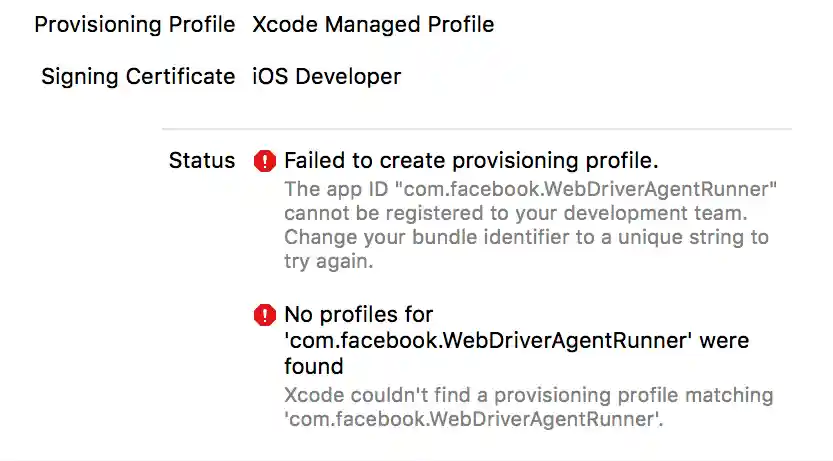
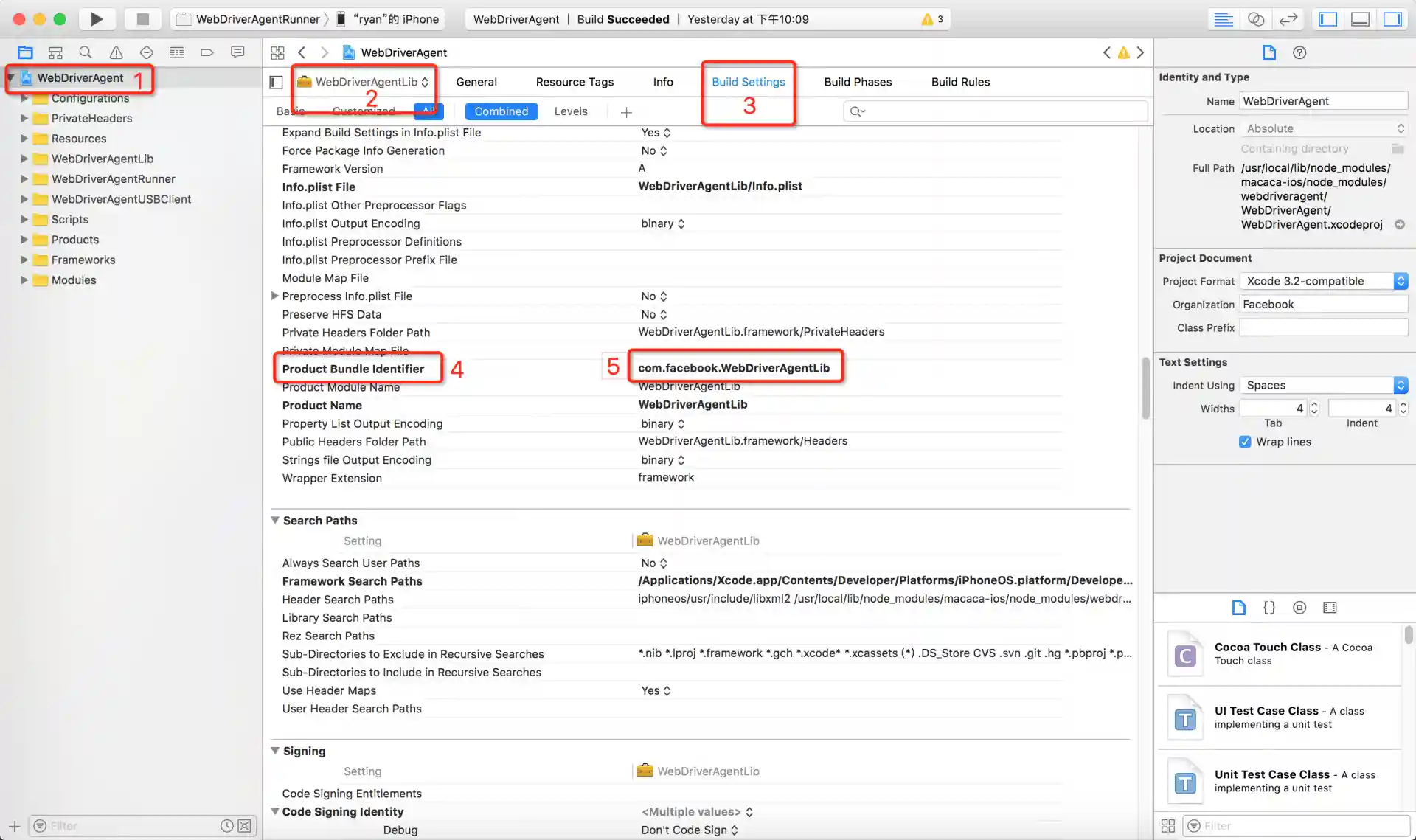
please change 'Build Settings' ->"Product Bundle Identifier" into somethings else. like 'com.xxx.webDriverAgent-test123'
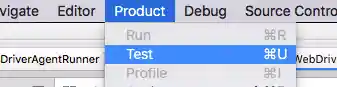
perform test in a selected device


choose device first

choose schema next

finally: Product -> Test

or


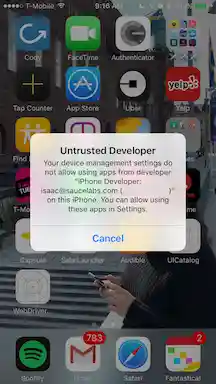
also you need trust the application. You can go to Settings => General => Device Management on the device
to trust the developer and allow the app to be run
after that run 'test' again
start Success
when something like this show in log, it means webDricerAgent start success
Test Suite 'All tests' started at 2017-01-23 15:49:12.585
Test Suite 'WebDriverAgentRunner.xctest' started at 2017-01-23 15:49:12.586
Test Suite 'UITestingUITests' started at 2017-01-23 15:49:12.587
Test Case '-[UITestingUITests testRunner]' started.
t =     0.00s     Start Test at 2017-01-23 15:49:12.588
t =     0.00s     Set Up

More about how to start WebDriverAgent here. and another
2. set up proxy
you need to set up proxy to forward request to real device via usb-forwarding as this may have something wrong, known Issues and detail
you can use iproxy
$ brew install libimobiledevice
$ iproxy 8100 8100
then try to access http://127.0.0.1:8100/status in mac browser, is a json string shown, mean all start success
3. Finally
you can use iOS device in airtest with http://127.0.0.1:8100
Known Issues
https://github.com/AirtestProject/iOS-Tagent/issues
License
This project is based on WebDriverAgent :
**WebDriverAgent** is BSD-licensed . We also provide an additional patent grant.
Have fun with Airtest!