Testing scripts
It is possible to declare tests in the script function
to validate the output of the script.
The tests are added as an array of objects in the tests key of the script function.
script({
...,
tests: {
files: "src/rag/testcode.ts",
rubrics: "is a report with a list of issues",
facts: `The report says that the input string
should be validated before use.`,
}
})
Specifiying models
You can also specify a set of models (and model aliases) to run the tests against. Each test will be run against each model.
script({
...,
testModels: [
"azure_ai_inference:gpt-4o",
"azure_ai_inference:gpt-4o-mini",
"azure_ai_inference:deepseek-r1",
],
})
The testModels can be also overriden through the command line.
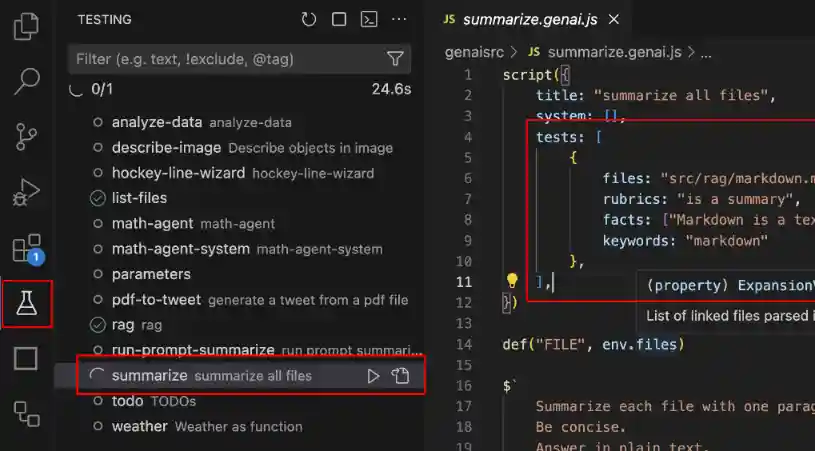
Visual Studio Code
- Open the Test Explorer view.
- Select your script in the tree and click the
playicon button.
Run this command from the workspace root.
npx genaiscript test proofreader
Known limitations
Currently, promptfoo treats the script source as the prompt text. Therefore, one cannot use assertions
that also rely on the input text, such as answer_relevance.
- Read more about tests in the reference.
Automate script execution using the command line interface (CLI).