4.4. Attributes Data — Python
4.4.1. SetUp
4.4.2. Itemsize
int64takes 64 bits (8 bytes of memory)
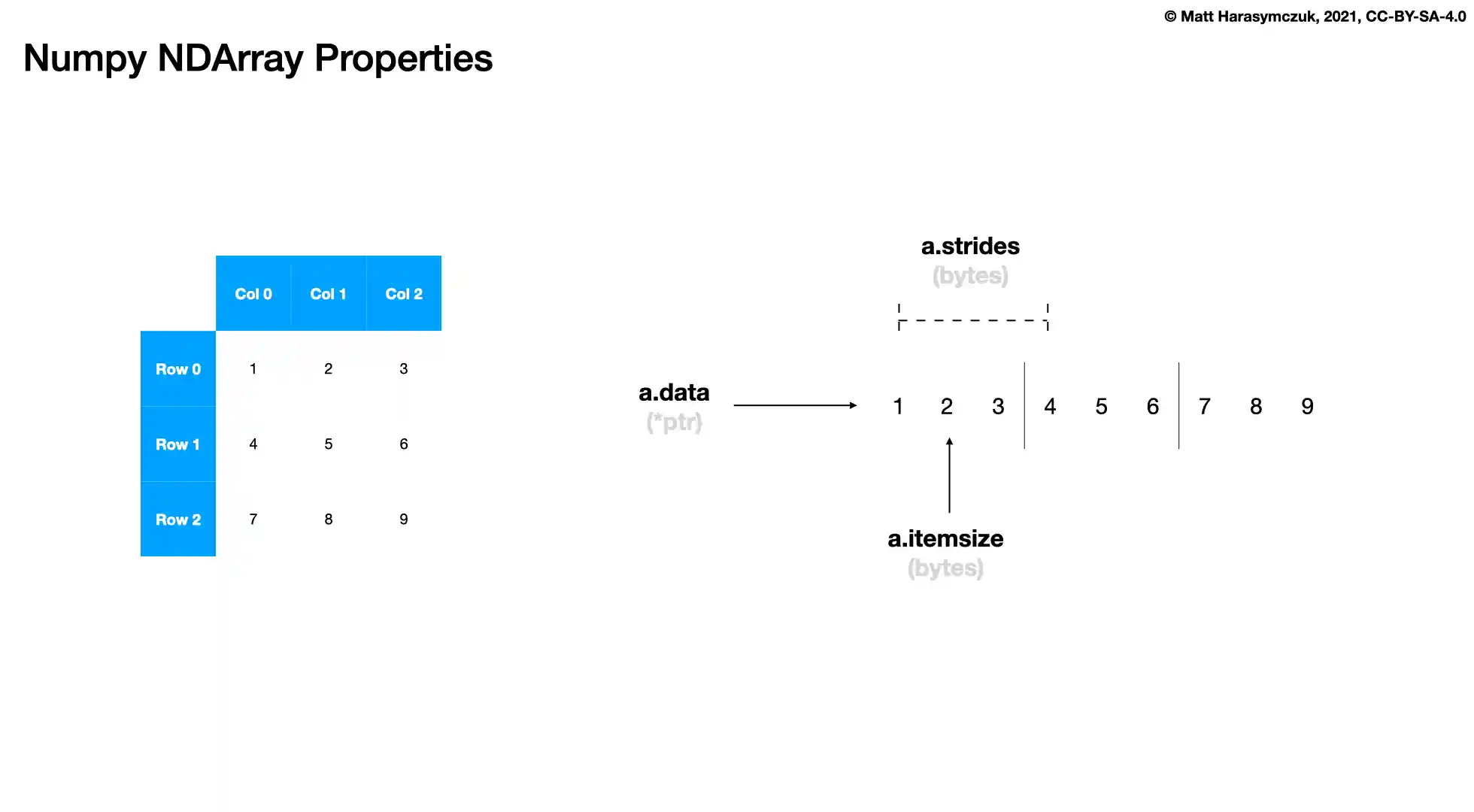
>>> a = np.array([1, 2, 3], dtype=int)
>>> a.itemsize
8
>>>
>>> c = np.array([1, 2, 3], dtype=np.int8)
>>> c.itemsize
1
>>>
>>> d = np.array([1, 2, 3], dtype=np.int16)
>>> d.itemsize
2
>>>
>>> e = np.array([1, 2, 3], dtype=np.int32)
>>> e.itemsize
4
>>>
>>> f = np.array([1, 2, 3], dtype=np.int64)
>>> f.itemsize
8
>>> a = np.array([1, 2, 3], dtype=float)
>>> a.itemsize
8
>>>
>>> b = np.array([1, 2, 3], dtype=np.float16)
>>> b.itemsize
2
>>>
>>> c = np.array([1, 2, 3], dtype=np.float32)
>>> c.itemsize
4
>>>
>>> d = np.array([1, 2, 3], dtype=np.float64)
>>> d.itemsize
8
4.4.3. NBytes
int64takes 64 bits (8 bytes of memory)
>>> a = np.array([1, 2, 3], dtype=int)
>>> a.nbytes
24
>>>
>>> c = np.array([1, 2, 3], dtype=np.int8)
>>> c.nbytes
3
>>>
>>> d = np.array([1, 2, 3], dtype=np.int16)
>>> d.nbytes
6
>>>
>>> e = np.array([1, 2, 3], dtype=np.int32)
>>> e.nbytes
12
>>>
>>> f = np.array([1, 2, 3], dtype=np.int64)
>>> f.nbytes
24
>>> a = np.array([1, 2, 3], dtype=float)
>>> a.nbytes
24
>>>
>>> b = np.array([1, 2, 3], dtype=np.float16)
>>> b.nbytes
6
>>>
>>> c = np.array([1, 2, 3], dtype=np.float32)
>>> c.nbytes
12
>>>
>>> d = np.array([1, 2, 3], dtype=np.float64)
>>> d.nbytes
24
4.4.4. Strides
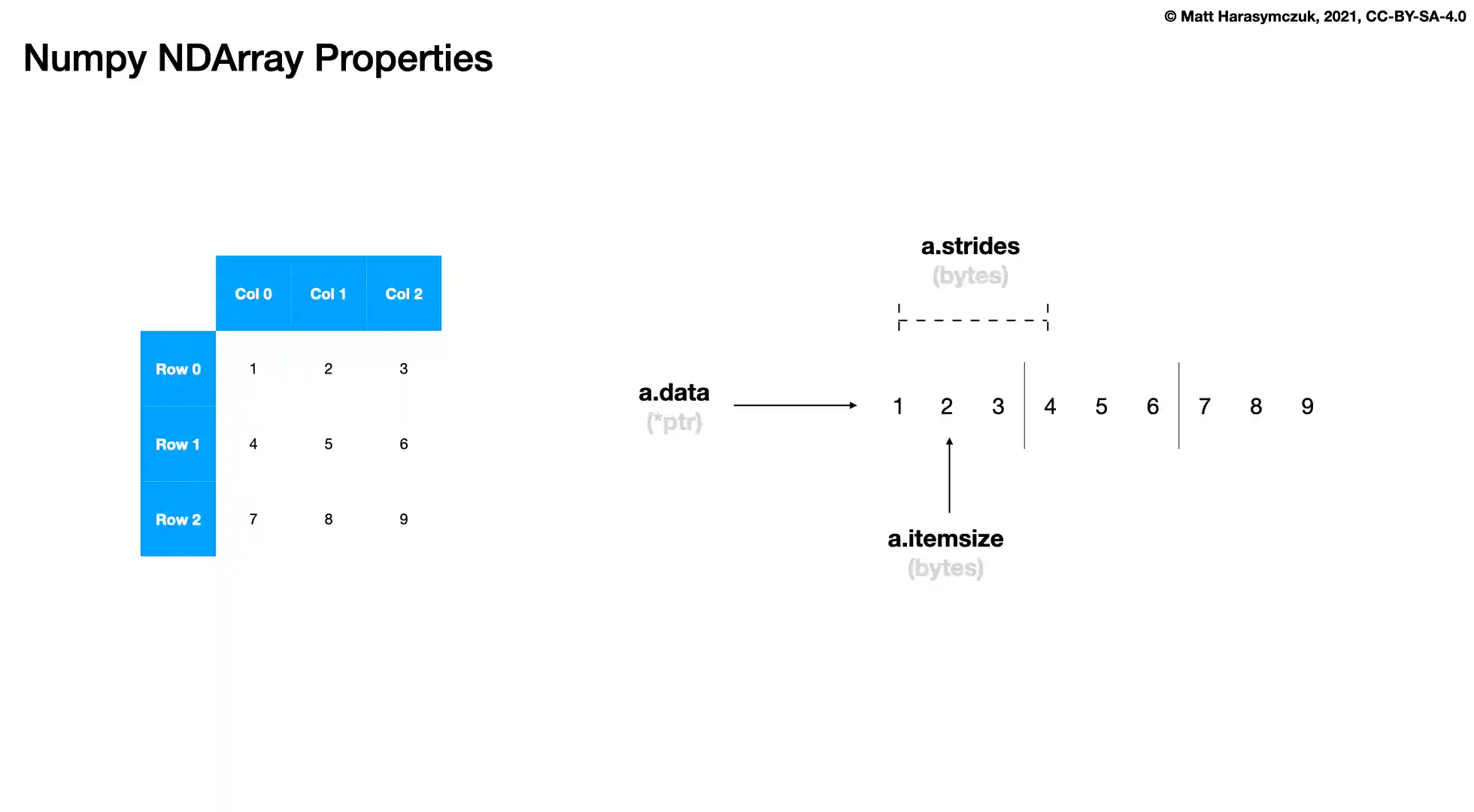
int64takes 64 bits (8 bytes of memory)Strides inform how many bytes numpy has to jump to access values in each dimensions
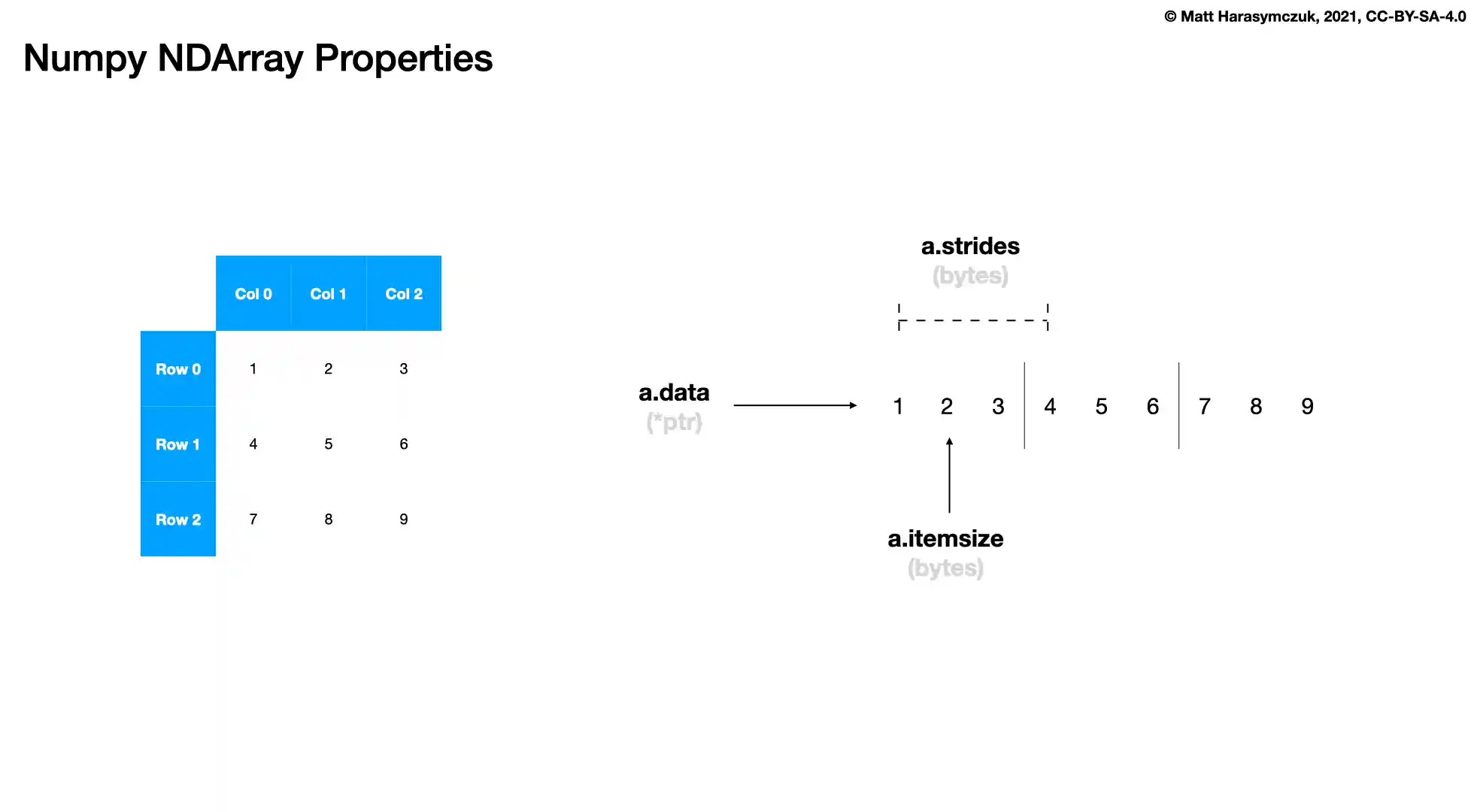
>>> a = np.array([1, 2, 3])
>>>
>>> a.strides
(8,)
>>> b = np.array([[1, 2, 3],
...               [4, 5, 6]])
>>>
>>> b.strides
(24, 8)
>>> c = np.array([[1, 2, 3],
...               [4, 5, 6],
...               [7, 8, 9]])
>>>
>>> c.strides
(24, 8)
>>> d = np.array([[[ 1,  2,  3],
...                [ 4,  5,  6],
...                [ 5,  6,  7]],
...
...               [[11, 22, 33],
...                [44, 55, 66],
...                [77, 88, 99]]])
>>>
>>> d.strides
(72, 24, 8)
4.4.5. Data
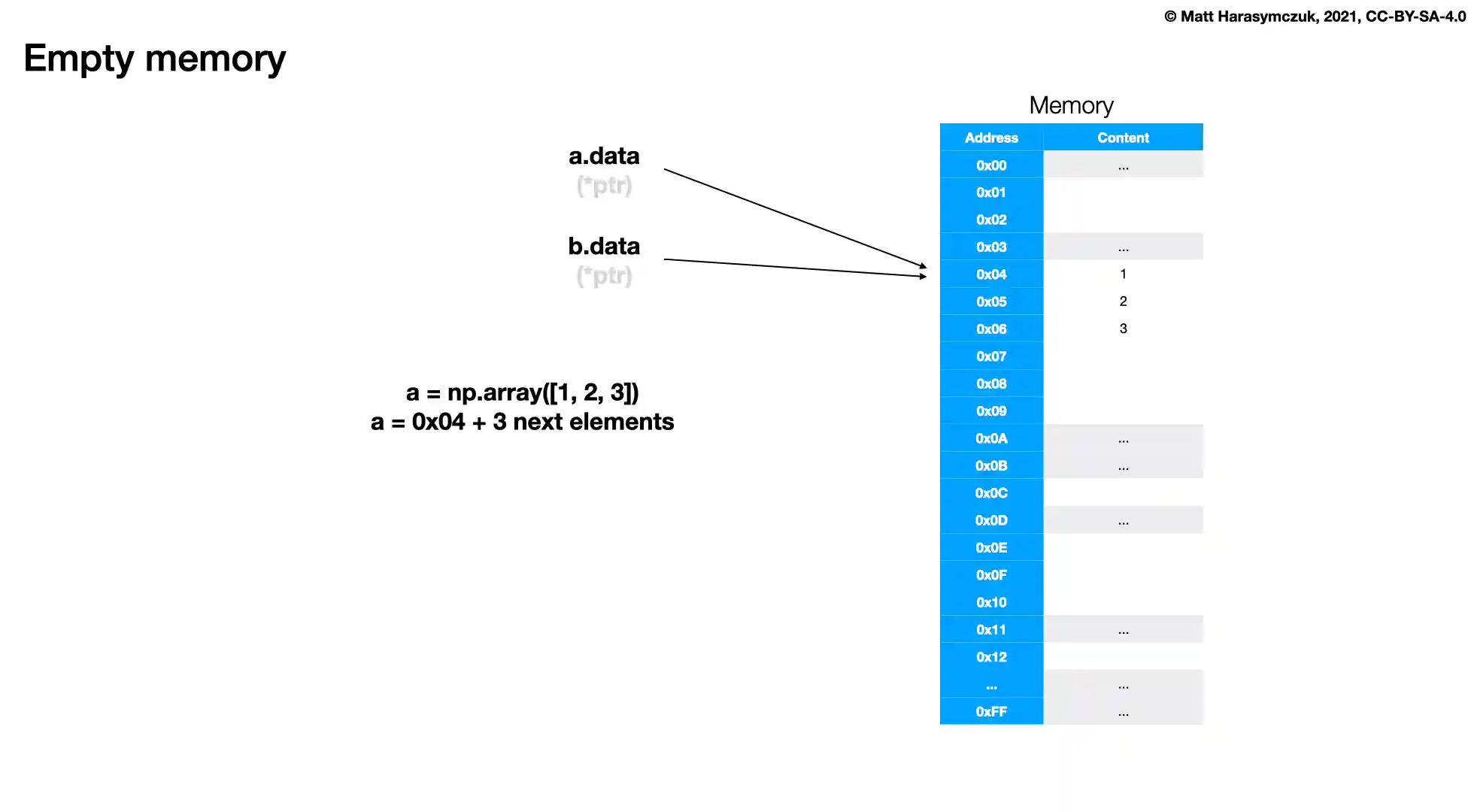
>>> a = np.array([1, 2, 3])
>>>
>>> a.data
<memory at 0x...>
>>> b = np.array([[1, 2, 3],
...               [4, 5, 6]])
>>>
>>> b.data
<memory at 0x...>
>>> c = np.array([[[ 1,  2,  3],
...                [ 4,  5,  6],
...                [ 5,  6,  7]],
...
...               [[11, 22, 33],
...                [44, 55, 66],
...                [77, 88, 99]]])
>>>
>>> c.data
<memory at 0x...>
4.4.6. Recap
4.4.7. Assignments
# %% About
# - Name: Numpy Attributes
# - Difficulty: easy
# - Lines: 7
# - Minutes: 5

# %% License
# - Copyright 2025, Matt Harasymczuk <matt@python3.info>
# - This code can be used only for learning by humans
# - This code cannot be used for teaching others
# - This code cannot be used for teaching LLMs and AI algorithms
# - This code cannot be used in commercial or proprietary products
# - This code cannot be distributed in any form
# - This code cannot be changed in any form outside of training course
# - This code cannot have its license changed
# - If you use this code in your product, you must open-source it under GPLv2
# - Exception can be granted only by the author

# %% English
# 1. Define `result: dict` with:
#    - number of dimensions;
#    - number of elements;
#    - data type;
#    - element size;
#    - shape;
#    - strides.
# 2. Run doctests - all must succeed

# %% Polish
# 1. Zdefiniuj `result: dict` z:
#    - liczbę wymiarów,
#    - liczbę elementów,
#    - typ danych,
#    - rozmiar elementu,
#    - kształt,
#    - przeskoki (strides).
# 2. Uruchom doctesty - wszystkie muszą się powieść

# %% Doctests
"""
>>> import sys; sys.tracebacklimit = 0

>>> assert sys.version_info >= (3, 9), \
'Python has an is invalid version; expected: `3.9` or newer.'

>>> assert 'result' in globals(), \
'Variable `result` is not defined; assign result of your program to it.'

>>> assert result is not Ellipsis, \
'Variable `result` has an invalid value; assign result of your program to it.'

>>> assert type(result) is dict, \
'Variable `result` has an invalid type; expected: `dict`.'

>>> result  # doctest: +NORMALIZE_WHITESPACE
{'number of dimensions': 2,
 'number of elements': 6,
 'data type': dtype('float64'),
 'element size': 8,
 'shape': (2, 3),
 'strides': (24, 8)}
"""

# %% Run
# - PyCharm: right-click in the editor and `Run Doctest in ...`
# - PyCharm: keyboard shortcut `Control + Shift + F10`
# - Terminal: `python -m doctest -f -v myfile.py`

# %% Imports
import numpy as np

# %% Types
result: dict[str, int|tuple[int,...]|np.dtype]

# %% Data
DATA = np.array([[-1.1, 0.0, 1.1],
                 [2.2, 3.3, 4.4]])

# %% Result
result = {
    'number of dimensions': ...,
    'number of elements': ...,
    'data type': ...,
    'element size': ...,
    'shape': ...,
    'strides': ...,
}