4.2. Attributes Shape — Python
Any shape operation changes only
np.ndarray.shapeandnp.ndarray.stridesand does not touch data
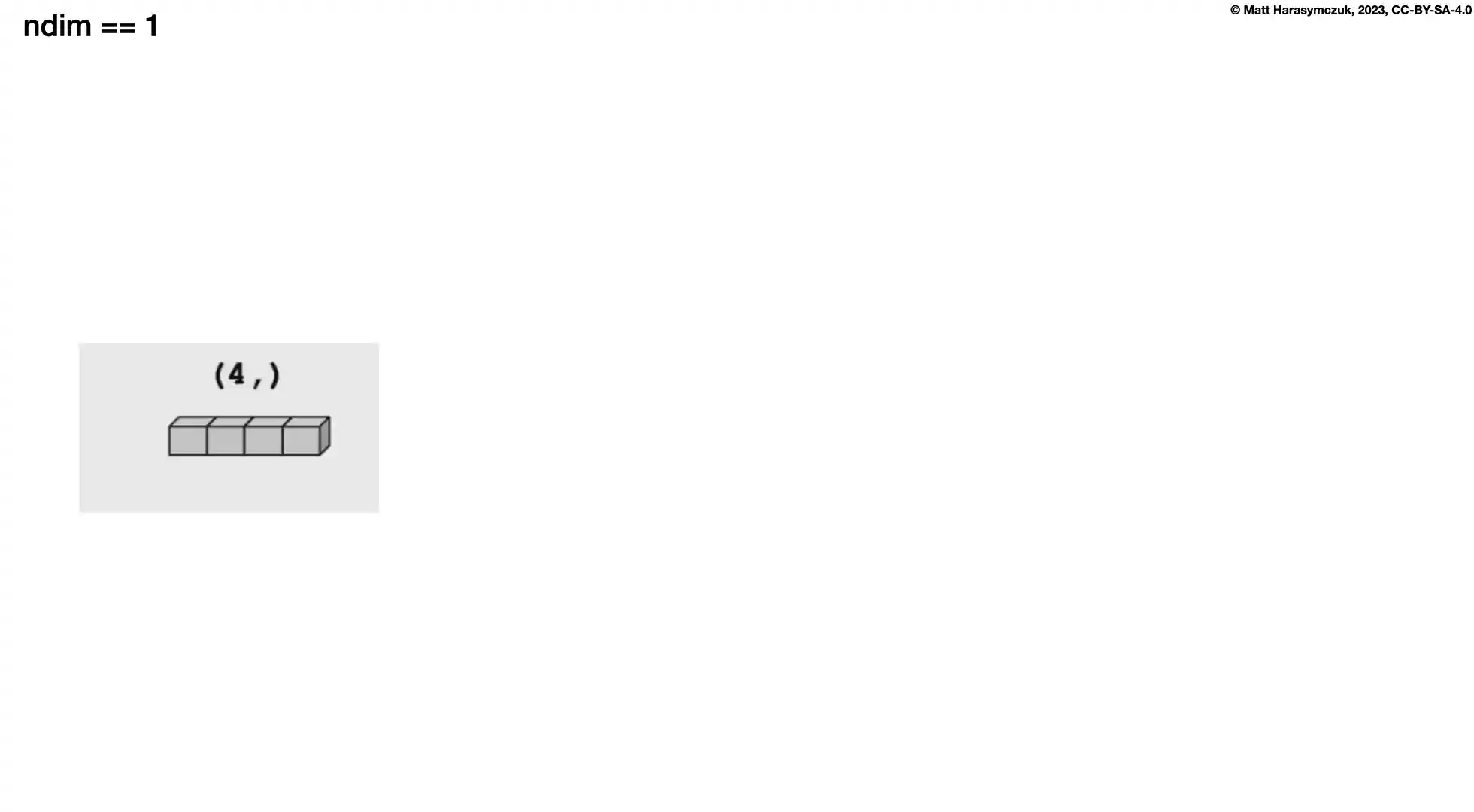
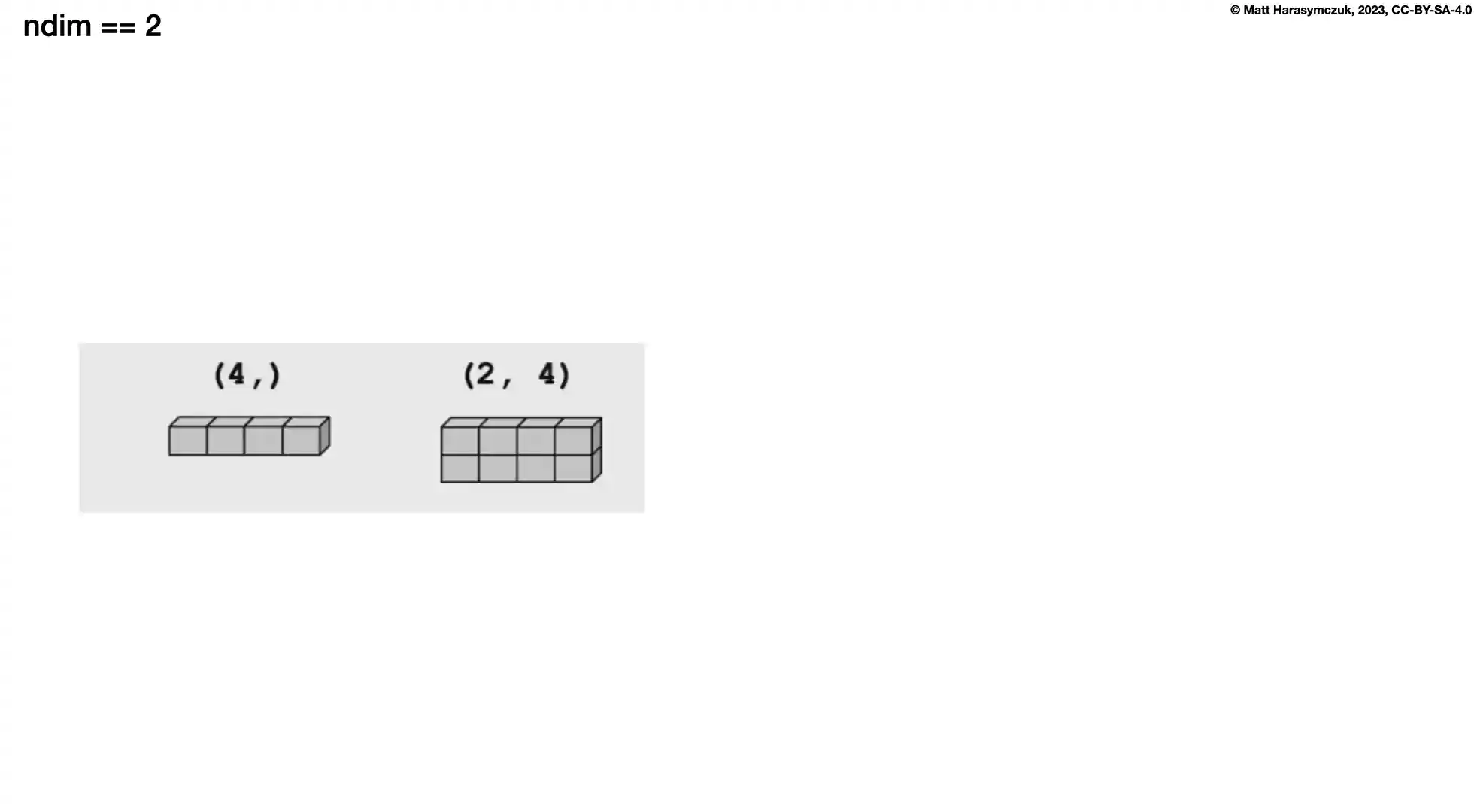
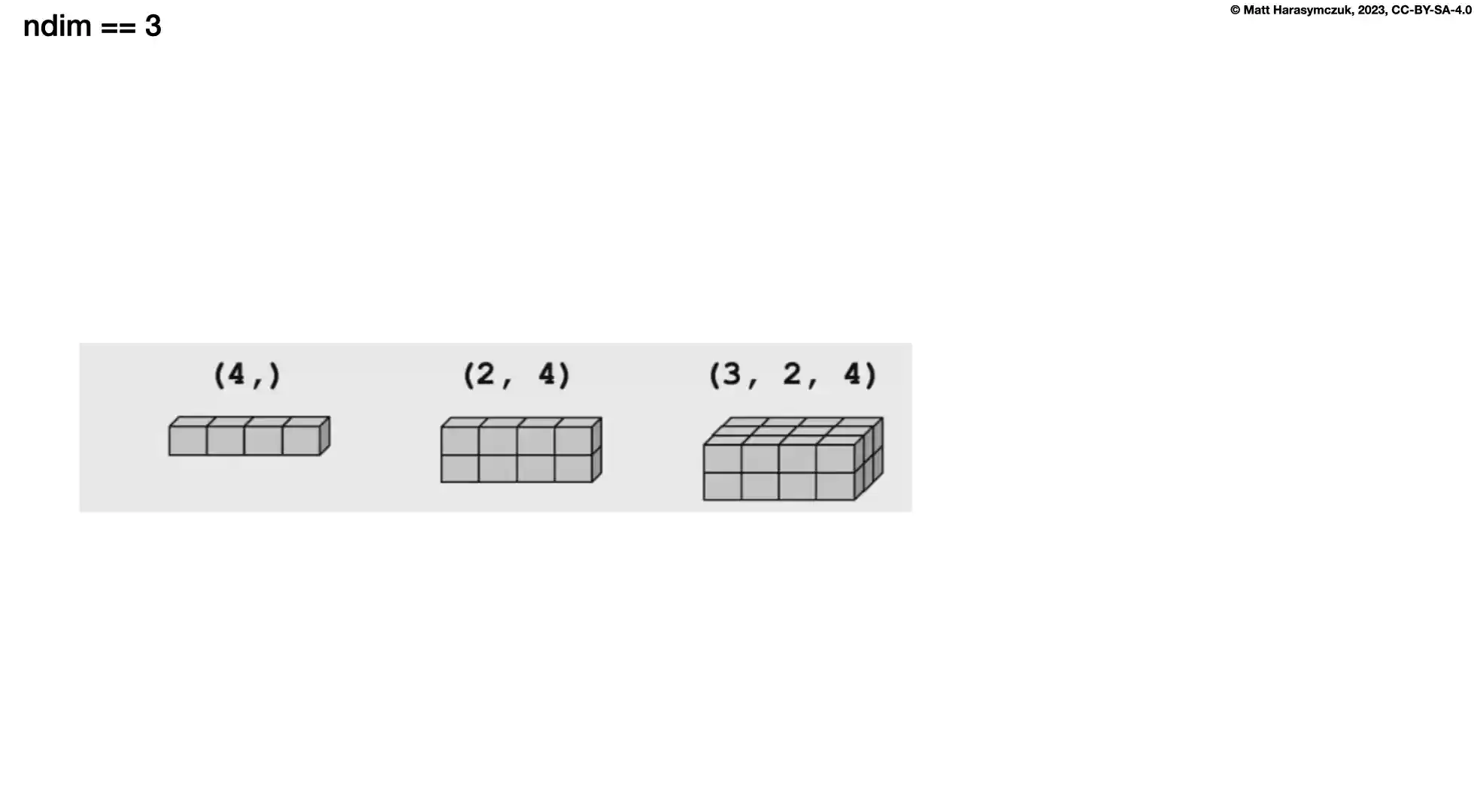
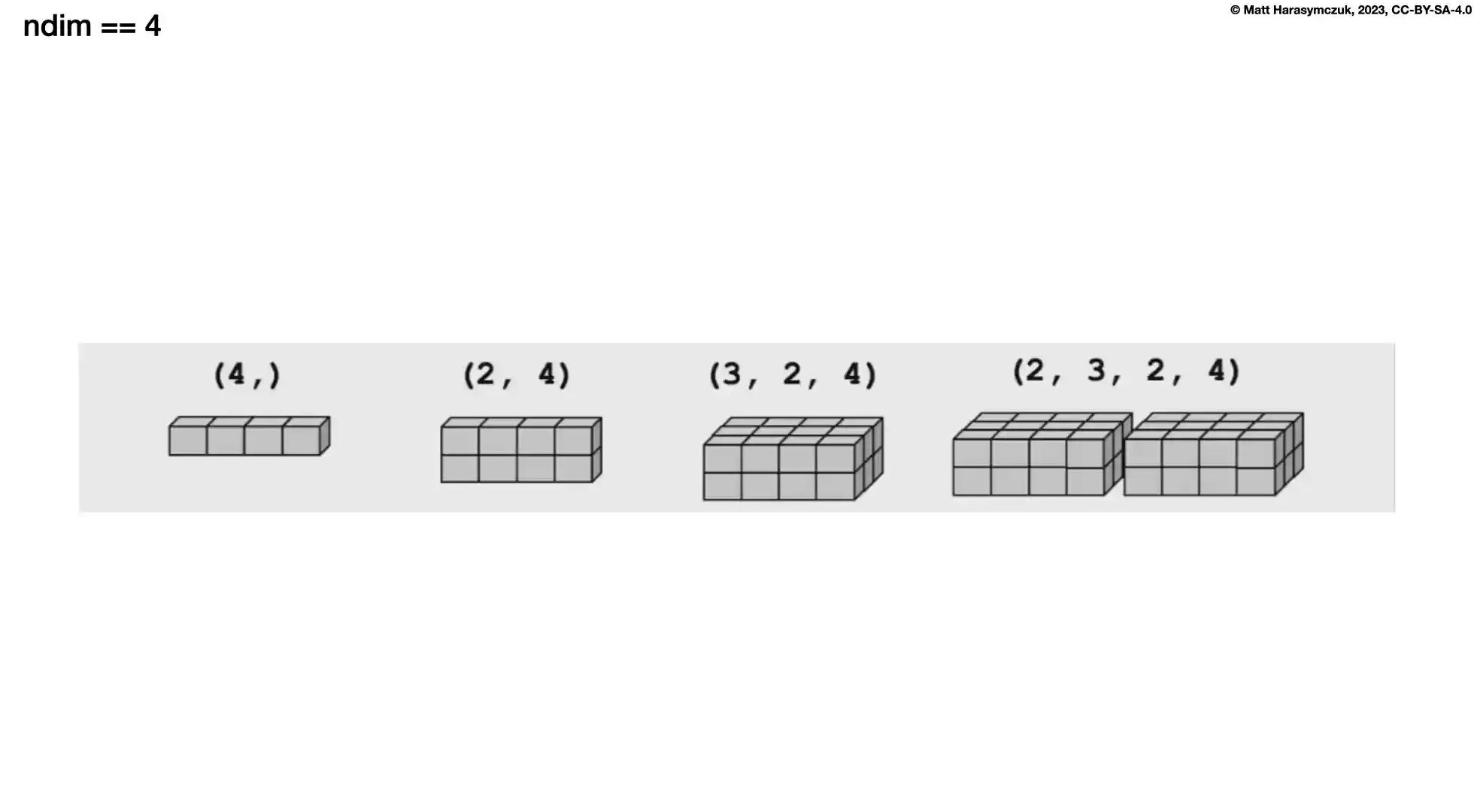
4.2.1. SetUp
4.2.2. Recap
>>> obj = [1, 2, 3]
>>>
>>> len(obj)
3
>>> obj1 = [1, 2, 3]
>>> obj2 = [4, 5, 6]
>>>
>>> len([obj1, obj2])
2
>>> len([ [1,2,3], [4,5,6] ])
2
>>> len([[1,2,3],
...      [4,5,6]])
2
>>> obj1 = [1, 2, 3]
>>> obj2 = [4, 5, 6]
>>> obj3 = [7, 8, 9]
>>> obj4 = [10, 11, 12]
>>>
>>> len([ [obj1, obj2], [obj3, obj4] ])
2
>>> len([[obj1, obj2],
...      [obj3, obj4]])
2
4.2.3. Shape
1-dimensional:
>>> a = np.array([1, 2, 3])
>>> a.shape
(3,)
2-dimensional:
>>> a = np.array([[1, 2, 3],
...               [4, 5, 6]])
>>> a.shape
(2, 3)
>>> a = np.array([[1, 2, 3],
...               [4, 5, 6],
...               [7, 8, 9]])
>>> a.shape
(3, 3)
3-dimensional:
>>> a = np.array([[[ 1,  2,  3],
...                [ 4,  5,  6],
...                [ 5,  6,  7]],
...               [[11, 22, 33],
...                [44, 55, 66],
...                [77, 88, 99]]])
>>> a.shape
(2, 3, 3)
4.2.4. Reshape
Returns new array
Does not modify inplace
a.reshape(1, 2)is equivalent toa.reshape((1, 2))
>>> a = np.array([1, 2, 3])
>>>
>>> a.reshape(1, 3)
array([[1, 2, 3]])
>>>
>>> a.reshape(3, 1)
array([[1],
       [2],
       [3]])
>>> a = np.array([[1, 2, 3],
...               [4, 5, 6]])
>>>
>>> a.reshape(3, 2)
array([[1, 2],
       [3, 4],
       [5, 6]])
>>>
>>> a.reshape(1, 6)
array([[1, 2, 3, 4, 5, 6]])
>>>
>>> a.reshape(6, 1)
array([[1],
       [2],
       [3],
       [4],
       [5],
       [6]])
>>>
>>> a.reshape(5, 2)
Traceback (most recent call last):
ValueError: cannot reshape array of size 6 into shape (5,2)
>>> a = np.array([1, 2, 3, 4, 5, 6, 7, 8])
>>>
>>> a.reshape(2, 4)
array([[1, 2, 3, 4],
       [5, 6, 7, 8]])
>>>
>>> a.reshape(2, 4, 1)
array([[[1],
        [2],
        [3],
        [4]],

       [[5],
        [6],
        [7],
        [8]]])
>>>
>>> a.reshape(2, 2, 2)
array([[[1, 2],
        [3, 4]],

       [[5, 6],
        [7, 8]]])
>>>
>>> a.reshape(1, 2, 4)
array([[[1, 2, 3, 4],
        [5, 6, 7, 8]]])
>>>
>>> a.reshape(4, 2, 1)
array([[[1],
        [2]],

       [[3],
        [4]],

       [[5],
        [6]],

       [[7],
        [8]]])
>>>
>>> a.reshape(1, 8, 1)
array([[[1],
        [2],
        [3],
        [4],
        [5],
        [6],
        [7],
        [8]]])
>>>
>>> a.reshape(2, 3, 1)
Traceback (most recent call last):
ValueError: cannot reshape array of size 8 into shape (2,3,1)
4.2.5. Flatten
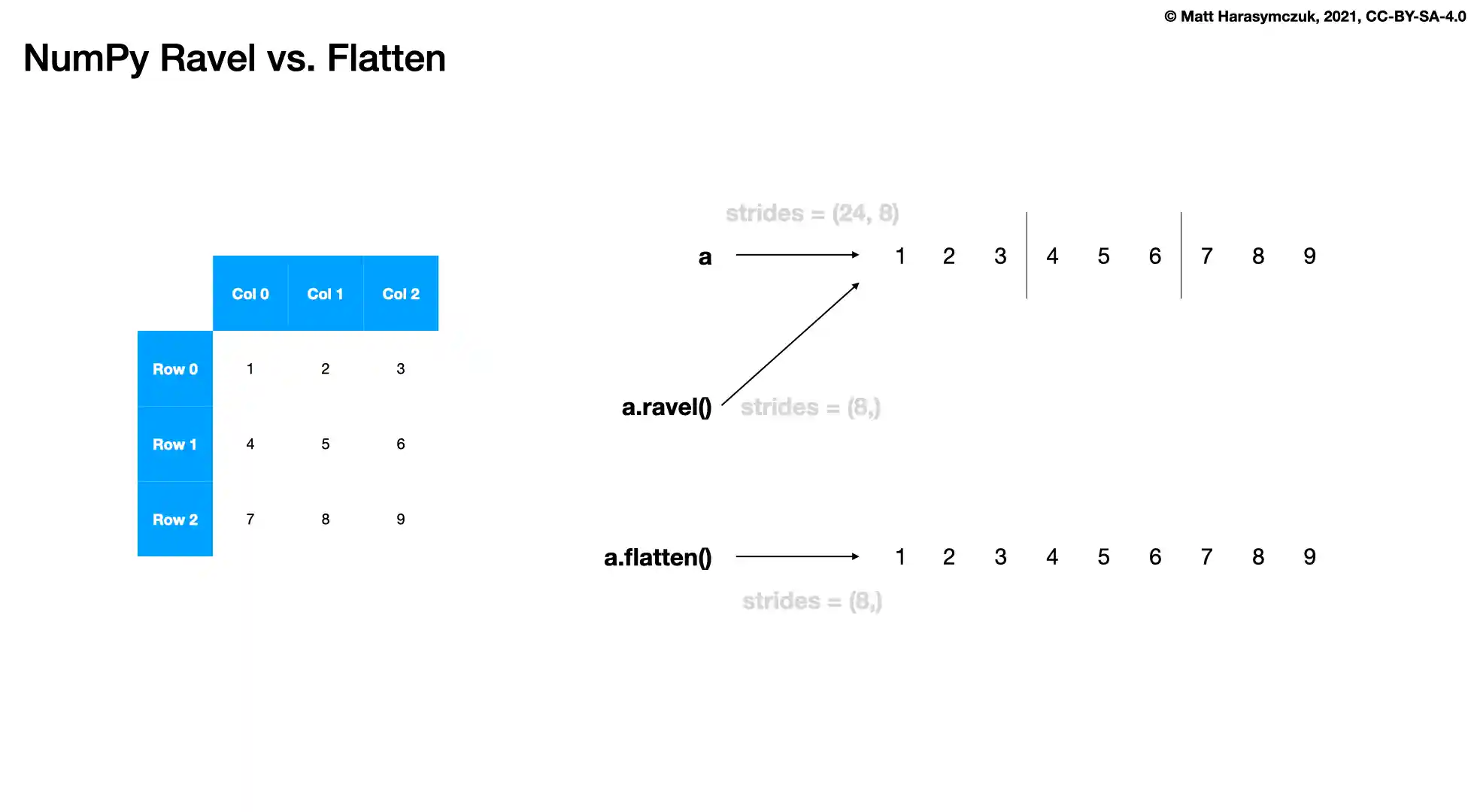
Returns new array (makes memory copy - expensive)
Does not modify inplace
>>> a = np.array([1, 2, 3])
>>>
>>> a.flatten()
array([1, 2, 3])
>>> a = np.array([[1, 2, 3],
...               [4, 5, 6],
...               [7, 8, 9]])
>>>
>>> a.flatten()
array([1, 2, 3, 4, 5, 6, 7, 8, 9])
>>> a = np.array([[[ 1,  2,  3],
...                [ 4,  5,  6],
...                [ 5,  6,  7]],
...
...               [[11, 22, 33],
...                [44, 55, 66],
...                [77, 88, 99]]])
>>>
>>> a.flatten()
array([ 1,  2,  3,  4,  5,  6,  5,  6,  7, 11, 22, 33, 44, 55, 66, 77, 88, 99])
4.2.6. Ravel
Ravel is the same as Flatten but returns a reference (or view) of the array if possible (i.e. memory is contiguous)
Otherwise returns new array (makes memory copy)
>>> a = np.array([1, 2, 3])
>>>
>>> a.ravel()
array([1, 2, 3])
>>> a = np.array([[1, 2, 3],
...               [4, 5, 6],
...               [7, 8, 9]])
>>>
>>> a.ravel()
array([1, 2, 3, 4, 5, 6, 7, 8, 9])
>>> a = np.array([[[ 1,  2,  3],
...                [ 4,  5,  6],
...                [ 5,  6,  7]],
...
...               [[11, 22, 33],
...                [44, 55, 66],
...                [77, 88, 99]]])
>>>
>>>
>>> a.ravel()
array([ 1,  2,  3,  4,  5,  6,  5,  6,  7, 11, 22, 33, 44, 55, 66, 77, 88, 99])
4.2.7. Flatten vs. Ravel
>>> a = np.array([1, 2, 3])
>>> b = a.ravel()
>>> c = a.flatten()
>>> a  # original
array([99,  2,  3])
>>>
>>> b  # flatten
array([99,  2,  3])
>>>
>>> c  # ravel
array([1, 2, 3])
4.2.8. Recap
4.2.9. Assignments
# %% About
# - Name: Numpy Shape 1d
# - Difficulty: easy
# - Lines: 2
# - Minutes: 3

# %% License
# - Copyright 2025, Matt Harasymczuk <matt@python3.info>
# - This code can be used only for learning by humans
# - This code cannot be used for teaching others
# - This code cannot be used for teaching LLMs and AI algorithms
# - This code cannot be used in commercial or proprietary products
# - This code cannot be distributed in any form
# - This code cannot be changed in any form outside of training course
# - This code cannot have its license changed
# - If you use this code in your product, you must open-source it under GPLv2
# - Exception can be granted only by the author

# %% English
# 1. Define `result_ravel` with result of flattening `DATA` using `.ravel()` method
# 2. Define `result_flatten` with result of flattening `DATA` using `.flatten()` method
# 3. Define `result_reshape` with result of reshaping `DATA` into 1x9
# 4. Run doctests - all must succeed

# %% Polish
# 1. Zdefiniuj `result_ravel` z wynikiem spłaszczenia `DATA` używając metody `.ravel()`
# 2. Zdefiniuj `result_flatten` z wynikiem spłaszczenia `DATA` używając metody `.flatten()`
# 3. Zdefiniuj `result_reshape` z wynikiem zmiany kształtu `DATA` na 1x9
# 4. Uruchom doctesty - wszystkie muszą się powieść

# %% Doctests
"""
>>> import sys; sys.tracebacklimit = 0

>>> assert sys.version_info >= (3, 9), \
'Python has an is invalid version; expected: `3.9` or newer.'

>>> assert 'result1' in globals(), \
'Variable `result1` is not defined; assign result of your program to it.'

>>> assert result1 is not Ellipsis, \
'Variable `result1` has an invalid value; assign result of your program to it.'

>>> assert type(result1) is np.ndarray, \
'Variable `result1` has an invalid type; expected: `np.ndarray`.'

>>> assert 'result2' in globals(), \
'Variable `result2` is not defined; assign result of your program to it.'

>>> assert result2 is not Ellipsis, \
'Variable `result2` has an invalid value; assign result of your program to it.'

>>> assert type(result2) is np.ndarray, \
'Variable `result2` has an invalid type; expected: `np.ndarray`.'

>>> assert 'result3' in globals(), \
'Variable `result3` is not defined; assign result of your program to it.'

>>> assert result3 is not Ellipsis, \
'Variable `result3` has an invalid value; assign result of your program to it.'

>>> assert type(result3) is np.ndarray, \
'Variable `result3` has an invalid type; expected: `np.ndarray`.'

>>> result2
array([1, 2, 3, 4, 5, 6, 7, 8, 9])

>>> result1
array([1, 2, 3, 4, 5, 6, 7, 8, 9])

>>> result3
array([[1, 2, 3, 4, 5, 6, 7, 8, 9]])
"""

# %% Run
# - PyCharm: right-click in the editor and `Run Doctest in ...`
# - PyCharm: keyboard shortcut `Control + Shift + F10`
# - Terminal: `python -m doctest -f -v myfile.py`

# %% Imports
import numpy as np

# %% Types
result1: np.ndarray
result2: np.ndarray
result3: np.ndarray

# %% Data
DATA = np.array([[1, 2, 3],
                 [4, 5, 6],
                 [7, 8, 9]])

# %% Result
result1 = ...
result2 = ...
result3 = ...