Unclutter for Mac
A new space on your desktop
to organize your Files, Notes and Clipboard data
Video
See Unclutter in action
How it works
Unclutter stays hidden above your Desktop and opens instantly
with one simple gesture.
1
Move mouse pointer
to the top of the screen.


2
Scroll down with your
mouse or trackpad.


3
Voilà! Unclutter window
slides down.

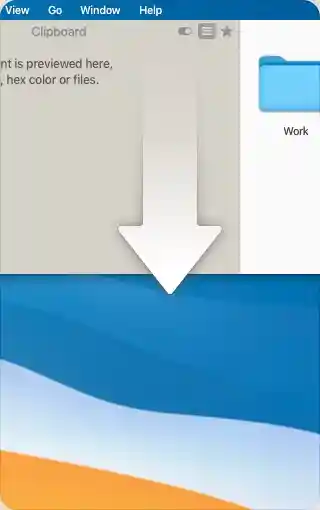
We believe it’s the best way to open Unclutter window.
However, there are more options to fit your needs.
Features
Unclutter presents you with 3 amazing tools, seamlessly unified in one dropdown window.
Use them to easily manage your files, notes and copied data during the day.
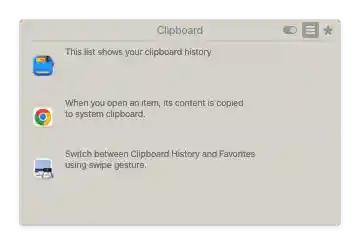
Track what you copy & paste,
browse clipboard history.
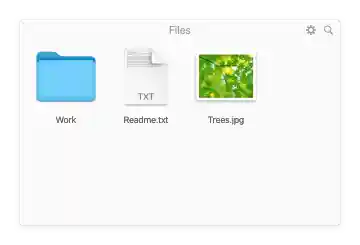
Store and access your files,
use as a drop zone.

Write down something quickly.
Like sticky notes.

Cloud Auto-Sync
You can set up Unclutter to automatically
sync your files and notes across
all your devices.

Customizable Layout
Rearrange and resize panels as you like.
Disable panels you don’t use to make
more room for others.

Available on all screens
Instant access Unclutter on every
screen and Desktop. Even in
full screen mode.

Compatible with all Macs
Unclutter runs natively on Apple Silicon
and Intel-Based Macs. Requires
macOS 10.13 or later.
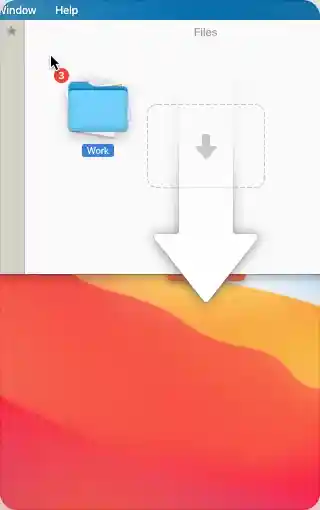
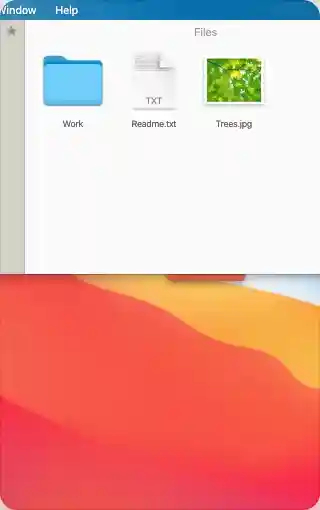
Dragging files inside
This is how to get your files into Unclutter’s drop-zone at no time.
1
Drag files to the top
of the screen.


2
Unclutter window
slides down.

REVIEWS AND AWARDS

It’s simple, but surprisingly handy to have these three tools so readily accessible.

This time-saving app organizes all your files, clipboard data, and notes in a convenient way.
— Marco Tabini @ Macworld.com

Unclutter boasts a mix of fantastic features. And is undoubtedly worth your time, effort, and money!
— Arshmeet @ iGeeksBlog.com

For anyone that’s always on the go on their Mac, constantly working — this Mac app will change your life.
— Charlie @ TheUltralinx.com

I would recommend Unclutter to all Mac users seeking a better way to organize their digital workflows.
— Laura Bernheim @ HostingAdvice.com

If buying a Mac was the best purchase ever, picking up the Unclutter app is a close second.
— Productivityist.com

Featured by Apple in Apps and Games We Love (2018)
and Spark Your Productivity (2020-2023)
on the Mac App Store.
4.6
AVERAGE RATING ON APP STORE


Unclutter Speaks Your Language
Localized in English, German, Spanish, French, Italian, Portuguese,
Chinese, Japanese, Russian, Polish and Ukrainian.
