Cross platform & open-source compositor
for visual effects and motion graphics industry
Natron is a powerful Digital Compositor that can handle of your 2D/2.5D needs. Its robust OIIO file formats and OpenFX architecture is what make Natron the most flexible open source compositor for the visual effects community. Its interface and functionally are the same across all platforms such as MacOS, Linux and Windows. Natron has a powerful keying, roto/rotopaint, 2D tracking tools that are staple for all current film production project that requires visual effects.
The development of Natron was supported by Inria from 2013 to 2018.
Natron Features
On the surface Natron has a powerful GUI interface that is a flexible and intuitive multi-platform node based engine. Natron may seem to be a simple compositing application but it does have layers of complexity that will allow your creativity to reach new heights. Natron has flexible Roto and Rotopaint tool-set that can generate unlimited layers of masks, mattes and shapes. Natron has a powerful 2D and Planar tracker to help reduce hours of rotoscoping to meet personal or client deadlines. It has some strong keying or matte generation tools that has been developed from the main OFX software developers and a plethora of tools from the open source plugin developing community.
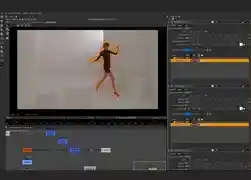
Flexible Rotoscoping
Multi-layered rotoscoping with stroke capability.
Tracker
Powerful 2D and Planar tracker for tracking jobs.
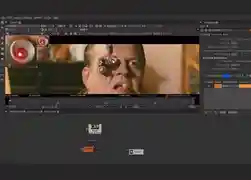
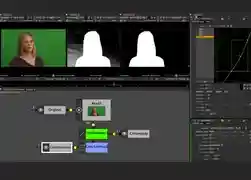
Powerful Keying Tool
Natron offers various keying tools for your production needs.
Curve & Dope-sheet Editor
Powerful curve and dope-sheet Editor with fluid interface.
GPU & Network Rendering
GPU and Network rendering capability for faster production.
Intuitive user interface: Natron aims not to break habits by providing an intuitive and familiar user interface. It is possible to separate on any number of screens the graphical user interface. It supports
Retina screens on MacOSX.
Performances: Never wait for anything to be rendered, in Natron anything you do produces real-time feedback thanks to its optimized multi-threaded rendering pipeline and its support for proxy rendering
(i.e: the render pipeline can be computed at lower res to speed-up rendering).
Multi-task: Natron can render multiple graphs at the same time and make use of 100% of the compute power of your CPU.
Network rendering: Natron can be used as a command-line tool and can be integrated on a render farm manager such as Afanasy.
NatronRenderer: A command line tool for execution of project files and python scripts. The command line version is executable from ssh on a computer without any display.
Fast & interactive Viewer – Smooth & accurate zooming/panning even for very large image sizes (tested on 27k x 30k images).
Real-time playback: Natron offers a real-time playback with thanks to its RAM/Disk cache technology. Once a frame is rendered, it can be reproduced instantly afterwards, even for large image sizes.
Low hardware requirements: All you need is an x86 64 bits or 32 bits processor, at least 3 GB of RAM and a graphic card that supports OpenGL 1.5+ with some extensions.
Motion editing: Natron offers a simple and efficient way to deal with keyframes with a very accurate and intuitive curve editor. You can set expressions on animation curves to create easy and believable motion
for objects. Natron also incorporates a fully featured dope-sheet to quickly edit clips and keyframes in time-space.
Multi-view workflow: Natron saves time by keeping all the views in the same stream. You can separate the views at any time with the OneView node.
Rotoscoping/Rotopainting: Edit your masks and animate them to work with complex shots
Tracker node: A point tracker is embedded in Natron to track multiple points. Version 2.1 of Natron will incorporate the Tracker from Blender.
Presets: Nodes presets can be imported/exported easily with an XML file format
Python scripting: Natron has made available via its Python API most of its functionalities. Natron embeds a Python 2.7 interpreter that can be used to customize the application. .
Multi-plane: In Natron all layers read from EXR’s, TIFF’s or PSD’s are available as planes that each node can access. You can also freely create your own custom planes. This allows for cleaner graphs and more
efficient work.
Node Organization : Gizmo with a taste of Python!
Grouping, Pyplug/Plugin and More. You will love the interaction
Natron has some innovative technologies for organizing nodes. All nodes can be grouped and can be shared across all artists, studios, community and developers as gizmos or "plugin" as well. Natron uses easy to understand python scripting language for even tweaking such gizmos or "PYPLUG" in a generic text editor! Creating PyPlug is easy and fun and not to mention, highly productive in production pipeline.
Back it, Hack it, Push it, Pull it. Open-source Community Standards are always with you!
Natron trusts in Open Source Community. The collective effort from artists, developers and researchers are combined in one application to make the difference. A huge collection of well maintained and ever increasing plugins can be found in the official community plugins repository of Natron.
Your system must have one of the following operating systems:
Microsoft Windows (7, 8, 10)
Apple Mac OS X 10.6 or greater
GNU/Linux 2.6.18 or greater (Glibc 2.12+, libgcc 4.4+)
Minimum system requirements:
3 GB of RAM ( 8 GB or more recommended)
5 GB (10 GB or more recommended) of disk space for caching and temporary files.
Display with at least 1280 x 1024 pixel resolution and 24-bit color
OpenGL 2.0 or higher with the following extensions:
GL_ARB_texture_non_power_of_two (Viewer and OpenGL rendering)
GL_ARB_shader_objects (Viewer and OpenGL rendering)
GL_ARB_vertex_buffer_object (Viewer and OpenGL rendering)
GL_ARB_pixel_buffer_object (Viewer and OpenGL rendering)
GL_ARB_vertex_array_object or GL_APPLE_vertex_array_object (OpenGL rendering only)
GL_ARB_framebuffer_object or GL_EXT_framebuffer_object (OpenGL rendering only)
GL_ARB_texture_float (OpenGL rendering only)
You can query the OpenGL version of your system in the about window of Natron (in the libraries tab).
For Windows users, if OpenGL requirements are not met by your graphic card, we provide a Software OpenGL dll (opengl32.dll) from Mesa that can provide (through software) the required OpenGL version.
learn more
Take a look at documentation, FAQ, tutorials and more...