Automated Website Performance, SEO, and Accessibility Testing with Lighthouse | Foo
Website page experience testing with Lighthouse
Automatically test and monitor website performance, SEO and accessibility with Lighthouse. Run a sample test below.

Monitoring
Automated Website SEO and Performance Monitoring
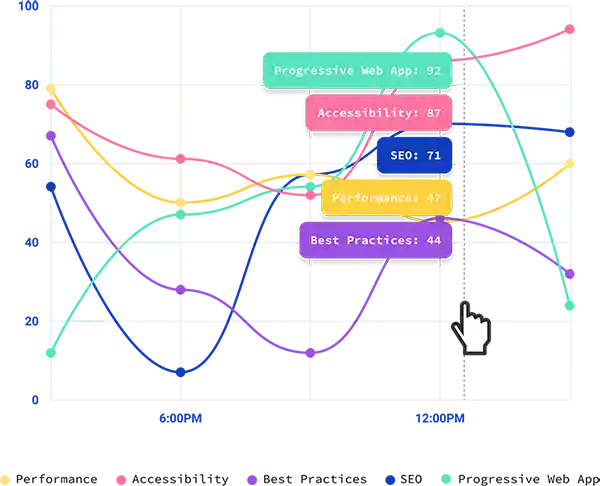
Analyze historical records of Lighthouse tests with automated monitoring. Report with confidence about SEO and performance improvements to stay on top of changes when they happen! After creating an account, you'll have access to dashboards displaying charts from automated Lighthouse runs.
Foo makes Continuous Integration
and Deployment easy
Lighthouse automation in any DevOps flavor
Need a solution for your CI or CD pipeline? We offer a variety of ways to easily integrate Lighthouse audits in your DevOps workflow to ensure the highest quality of your web application in every release!

Github
Utilize the Lighthouse Check GitHub Action for running Lighthouse audits automatically in a workflow with a rich set of extra features. Simple implementation or advanced customization including Slack notifications, AWS S3 HTML report uploads, PR comments and more!

Jenkins
Integrating with Jenkins is as simple as adding a few lines in your config. Foo provides a public API to trigger Lighthouse audits on every change! Embelish your CI/CD pipeline with website quality checks to stay on top of SEO, performance, best practice, and PWA.

CircleCI
Check out the CircleCI Lighthouse Check Orb for running Lighthouse audits automatically in your CircleCI workflow. Simply add a few lines to your config, and keep your website performance, SEO, best practice and PWA in check with every change!

Slack notifications
Stay informed of Quality Changes in Real Time
Connect a Slack channel to any URL being monitored. Set a threshold of points above or below average to trigger Slack notifications per URL. If any audit falls below the threshold against the average you'll be informed. This is especially handy for premium accounts which have automatic monitoring.
Simple and affordable pricing
Free
$0
A free account type for basic usage. This is good for simple use or for familiarizing with features of our service.
Features
1 URL
5 triggered Lighthouse runs per day
Support for a variety of workflow integrations
Online reporting. Reports saved for 6 months.
Standard
$20/mo
A plan with all the basics to support a small number of URLs and team members.
Features
5 URLs
5 triggered runs per URL, per day
2 automated runs per URL, per day
3 user limit
Slack integration
Support for a variety of workflow integrations
Online reporting. Reports saved for 6 months.
Advanced
$60/mo
A plan offering a happy medium between volume of URLs, automation, and team member size.
Features
30 URLs
10 triggered runs per URL, per day
4 automated runs per URL, per day
10 user limit
Slack integration
Support for a variety of workflow integrations
Online reporting. Reports saved for 12 months.
Enterprise
$120/mo
Have many URLs that need frequent automation? This plan is for you. It supports larger teams.
Features
120 URLs
20 triggered runs per URL, per day
12 automated runs per URL, per day
25 user limit
Slack integration
Support for a variety of workflow integrations
Online reporting. Reports saved for 24 months.
All paid, premium accounts include a 1 month free trial. You can cancel anytime before trial end without being charged.
Customized Plans
Had something else in mind? Whether you want higher rate limiting or custom pricing, contact us to help us come up with a plan that best meets your needs.
Most Recent Tutorials
FAQs
Why Should I Use Lighthouse?
How Can I Automate Lighthouse Testing?