JavaScript DOM (Document Object Model)
Last Updated : 24 Jan 2026
JavaScript Document Object Model, also known as JavaScript DOM, is an interface that is used for web documents, specifically for HTML or XML. By using JavaScript DOM, we can represent the structure of a document as a tree-like structure of nodes, which allows us to access, modify and manipulate the content, structure, as well as style of a web page.
A web page is a document that can be either displayed in the browser window or as the HTML source. In both cases, it is the same document, but the Document Object Model(DOM) representation allows it to be manipulated.
Example
Output:
Hello, World!
Properties of Document Object Model
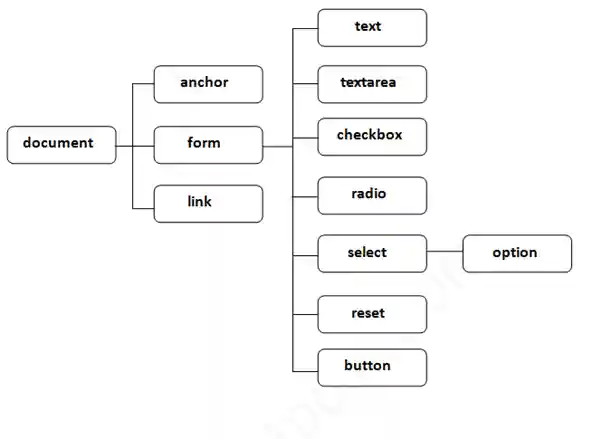
Methods of JavaScript DOM
In JavaScript, with the use of methods, we can access and modify the contents of the document. There are some important methods of the Document Object Model as follows:
| Method | Description |
|---|---|
| document.write("string") | It writes the given string on the document. |
| document.writeln("string") | It writes the given string on the document with a newline character at the end. |
| getElementById() | It returns the element having the given id value. |
| getElementByName() | It returns all the elements having the given name value. |
| getElementByClassName() | It returns all the elements having the given class name. |
| getElementByTagName() | It returns all the elements having the given tag name. |
| querySelector() | It returns the first elements matching a CSS selector. |
| querySelectorAll() | It returns all elements matching a CSS selector. |
JavaScript getElementById()
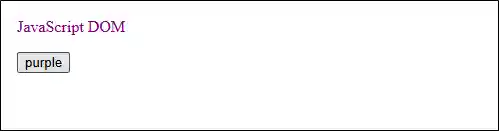
In JavaScript, the getElementById() is a built-in function that allows you to select an HTML element using its unique ID attribute.
Syntax
The syntax of getElementById is as follows:
Example
Output:
JavaScript getElementsByName()
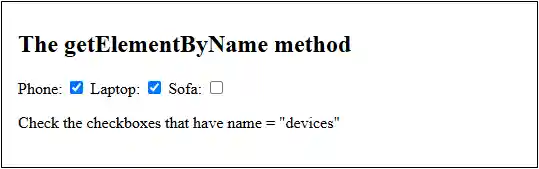
In JavaScript, the getElementsByName() method returns a collection of elements with a specified name.
Syntax
The syntax of getElementsByName is as follows:
Example
Output:
JavaScript getElementsByClassName()
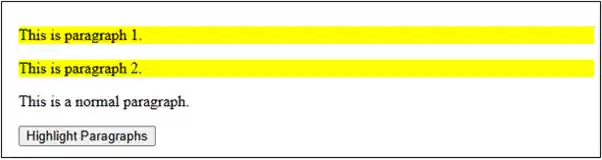
In JavaScript, the getElementsByClassName() returns a collection of elements with a specified class.
Syntax
The syntax of getElementsByClassName is as follows:
document.getElementByClassName(classname);
Example
Output:
JavaScript getElementsByTagName()
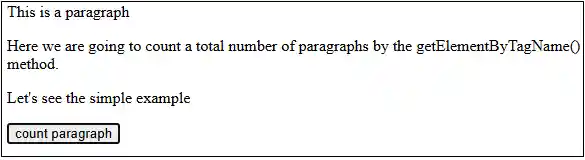
In JavaScript, the getElementsByTagName() is a built-in method that returns all the elements having the given tag name.
Syntax
The syntax of getElementsByTagName is as follows:
Example
Output:
JavaScript querySelector()
In JavaScript, the querySelector() method returns the first element that matches a CSS selector.
Syntax
The syntax of querySelector is as follows:
Example
Output:
JavaScript querySelectorAll()
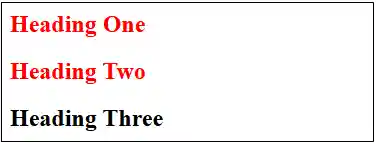
In JavaScript, querySelectorAll() returns all the child elements that match a CSS selector.
Syntax
The syntax of querySelectorAll() is as follows:
Example
Output:
Features of JavaScript DOM
There are some features of JavaScript DOM such as:
Dynamic Manipulation
JavaScript can dynamically add, remove, and modify HTML elements, attributes, and styles, which creates interactive and dynamic web pages.
Event Handling
In JavaScript, the DOM helps to respond to user actions and other events that occur on the page, such as button clicks or form submissions.
Tree structure
JavaScript DOM represents HTML documents as a tree structure where each element is a node, which allows for efficient traversal and manipulation of the document's elements.
DOM Traversal
JavaScript can navigate the DOM tree with the use of various methods to find specific elements and access their properties and methods.
Conclusion
In conclusion, JavaScript DOM provides a set of functions and methods to modify the HTML document dynamically. It effectively acts as a bridge between HTML documents and scripting languages which enabling dynamic and interactive web experiences.
Next TopicDocument getElementById() Method