Python main() function
Last Updated : 10 Mar 2026
In Python, the main() function is a specialized function that is executed automatically when it is executed as a Python Program. It does not work when it is imported into another file. The main use of the main() function is to organize the code and keep it in a structured way.
Example:
Let's see a simple example of using the Python main() Function
Output:
Program started
Welcome! This is the main function.
Key Points of the Python main() Function
- The Python main() function helps in managing and improving the readability of the code.
- It is defined using the def main().
- It runs only on one condition when __name__ == "__main__" is true.
Execution Mode in Python
There are three terms that we must learn; they are quite similar but also have slight differences in meaning. The terms are File, Script, and Module.
Let's learn about these terms in brief:
File: A Python file is a named location on disk to store related information, like code. It uses the .py extension.
Script: A script is a file we intend to execute from the command line to achieve our task.
Module: A module is referred to as a file comprising functions, classes, or variables. It helps us organize the code logically and reuse it across different programs. There are many Python modules, each with its own specific work.
There are two ways in which we can direct the interpreter to interpret the code at the time of the execution of a Python file.
Executing Python File as a Script
Using the command line, we can execute the Python file as a script. For this, the code must be imported from one Python file to another file or an interactive interpreter.
Let's suppose we have a Python file named pythoncode.py that contains the following code.
The File named pythoncode.py is run as a script when it is executed on the command line. We run the program by using the following code in the command terminal.
When the program is executed directly as a script, Python assigns the value "__main__" to the special variable __name__. As a result, the following output will be displayed.
Executing Python File as a Module
We can execute a Python file as a Module by importing the required file into a new or another Python file. Let's see the steps to understand how to do this:
- The first step is that we already created a file named pythoncode.py when we learnt to execute a Python file as a Script.
- Now we will create a new Python file, let's name it is as main.py.
- In this file, we will write the following code: import pythoncode
- When we run the file, we get the following output: pythoncode
Explanation
When a module is imported in Python, the components of code that are inside that file are executed. Here, instead of printing __main__, it printed the name of the module, which is pythoncode, because when a file is imported as a module, Python assigns its name to the __name__ variable.
What is __name__ in Python?
The __name__ is the special variable that is used to extract the name of the current module. Python keeps this value in the global namespace, along with other special attributes such as __package__ and __doc__.
Using if conditional with __name__
As we have learnt how to assign values to the __name__ variable, we can now move on to using the conditional statements to execute the same Python file in distinct contexts.
Example
Let's see an example where we will be using a conditional statement with the __name__.
Output:
Welcome to Tpoint Tech, we are Learning about the main() function in Python
Best Practices for Using the Python Main Function
There are multiple guidelines that are recommended to follow when we are working with the main() function in Python to maintain clean and organized code.
- Use the condition __name__ == "__main__" to ensure that the code runs only when the file is executed directly.
- Place the primary program logic inside a main() function.
- Organize your program by calling other functions from within the main() function.
- Keep the global scope minimal by avoiding excessive code outside functions or classes.
Creating the main() function to Store the Code
In Python, we can use main() and call this function whenever required in the code. Also, we can check if __name__=="__main__" and pass the main() function in the conditional if statement. Therefore, the code contained within the main() function will mark the beginning of the code.
Example
Output:
The program is running from the main section.
Call Additional Functions Using main() Function
Additional functions can be called from the main() function to break the program into smaller sub-pieces, which helps maintain readability, makes management easier, and keeps the code clean.
Example
Let's see an example where we will call some additional functions into the main() function.
Output:
Conclusion
The main() Function in Python is a specialized function that guarantees that a part of the code will only run when the file is executed directly. It organizes the code and keeps it structured.
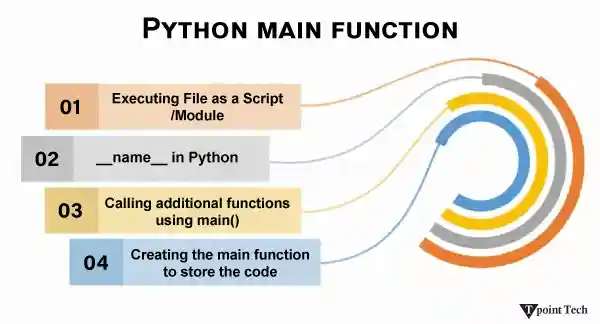
We understood the marginal but critical difference between file, script, and module. We covered both cases of executing a file as a script and as a module. Then we jumped onto __name__, which is a variable that gives the name of the current module, and also discussed using the if conditional statement with it.
At last, we discussed the benefits of using the main function, creating the main function to store the code, and calling the additional functions using the main() function.