Unity - Scripting API: GUILayout.Box
Success!
Thank you for helping us improve the quality of Unity Documentation. Although we cannot accept all submissions, we do read each suggested change from our users and will make updates where applicable.
Submission failed
For some reason your suggested change could not be submitted. Please <a>try again</a> in a few minutes. And thank you for taking the time to help us improve the quality of Unity Documentation.
Declaration
public static void Box(Texture image, params GUILayoutOption[] options);
Declaration
public static void Box(string text, params GUILayoutOption[] options);
Declaration
public static void Box(GUIContent content, params GUILayoutOption[] options);
Declaration
public static void Box(string text, GUIStyle style, params GUILayoutOption[] options);
Declaration
public static void Box(GUIContent content, GUIStyle style, params GUILayoutOption[] options);
Description
Make an auto-layout box.
This will make a box that contains static text or images but not other GUI controls. If you want to make a rectangular container for a set of GUI controls, use one of the grouping functions (BeginHorizontal, BeginVertical, BeginArea, etc...).
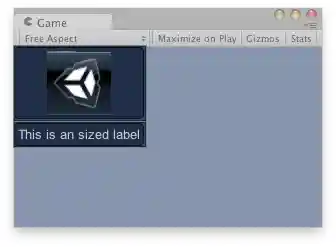
Boxes in the Game View.