
Continuous Machine Learning (CML) is an open-source library for implementing continuous integration & delivery (CI/CD) in machine learning projects. Use it to automate parts of your development workflow, including machine provisioning; model training and evaluation; comparing ML experiments across your project history, and monitoring changing datasets.
The iterative/setup-cml can be used as a GitHub Action to provide CML functions in your workflow. The action allows users to install CML without using the CML Docker container.
This action gives you:
- Access to all CML functions.
For example:
cml comment createfor publishing data visualization and metrics from your CI workflow as comments in a pull request.cml pr createto open a pull request.cml runner launch, a function that enables workflows to provision cloud and on-premise computing resources for training models.
- The freedom 🦅 to mix and match CML with your favorite data science tools and environments.
Note that CML does not include DVC and its dependencies (see the Setup DVC Action).
Note on v2
v1 of setup-cml was a wrapper around a set of npm installs. v2 installs CML from its
pre-packaged binaries. Then attempts to run npm install --global canvas@2 vega@5 vega-cli@5 vega-lite@5
if you do not wish to install these tools pass vega: false to the action.
link to v1
Usage
This action is tested on ubuntu-latest, macos-latest and windows-latest.
Basic usage:
steps:
  - uses: actions/checkout@v3
  - uses: iterative/setup-cml@v2
A specific version can be pinned to your workflow.
steps:
  - uses: actions/checkout@v3
  - uses: iterative/setup-cml@v2
    with:
      version: 'v0.18.1'
Without vega tools
steps:
  - uses: actions/checkout@v3
  - uses: iterative/setup-cml@v2
    with:
      version: 'v0.20.0'
      vega: false
Inputs
The following inputs are supported.
version- (optional) The version of CML to install (e.g. '0.18.1'). Defaults tolatestfor the most recent CML release.vega- (optional) Whether to install vega dependencies. Defaults totrue. runs commandnpm install --global canvas@2 vega@5 vega-cli@5 vega-lite@5
A complete example
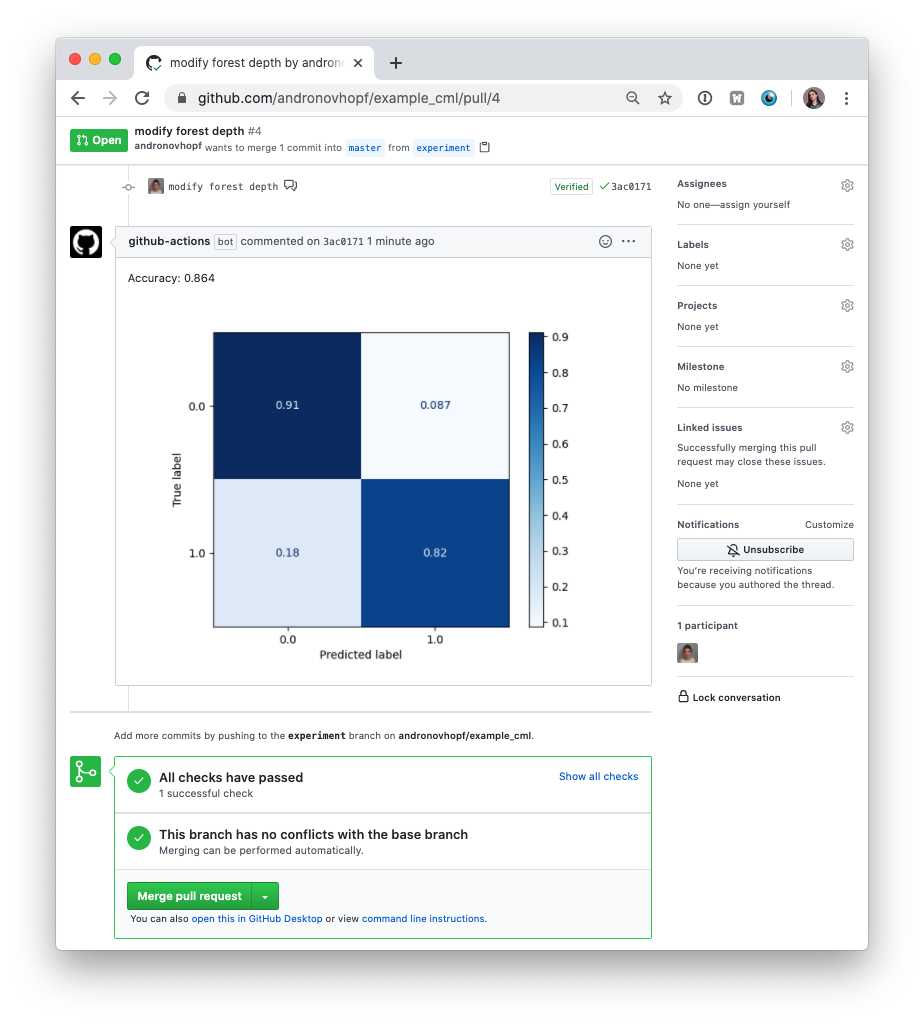
Assume that we have a machine learning script, train.py which outputs an image
plot.png:
steps: - uses: actions/checkout@v2 - uses: iterative/setup-cml@v2 - env: REPO_TOKEN: ${{ secrets.GITHUB_TOKEN }} # Can use the default token for most functions run: | python train.py --output plot.png echo 'My first CML report' > report.md echo '' >> report.md cml comment create --publish report.md
In general GitHub's runner token can be given enough permissions to perform most functions.
When using the cml runner launch command a PAT is required
CML functions
CML provides several helper functions. See the docs.
Contributing
To get started after cloning the repo, run npm ci (clean-install).
Before pushing changes or opening a PR run npm run format && npm run lint to
ensure that the code is formatted and linted.
run npm run build to compile the action.